

In our last article we solved the problem of the missing Shipping Address on Account records by copying the Billing Address every time a record was created or updated. This unfortunately does not completely solve the problem as we may have many thousands of records that have not been updated and are still missing a Shipping Address.
Because we potentially have many thousands of records to update, we need to be careful not to exceed our limit of resources we have on our Salesforce org. These are known as Governor Limits and exist to make sure that any complex process one customer runs does not impact other customers that share the same resources.
By using a scheduled triggered flow our process can group records to be updated into blocks of 200 records and we have a daily limit of 250,000 records that can be updated this way.
Step 1: Start Flow
From the setup menu, select -> Flows
Step 2: Create a new flow
From the Flow screen, click New Flow (top right of page).
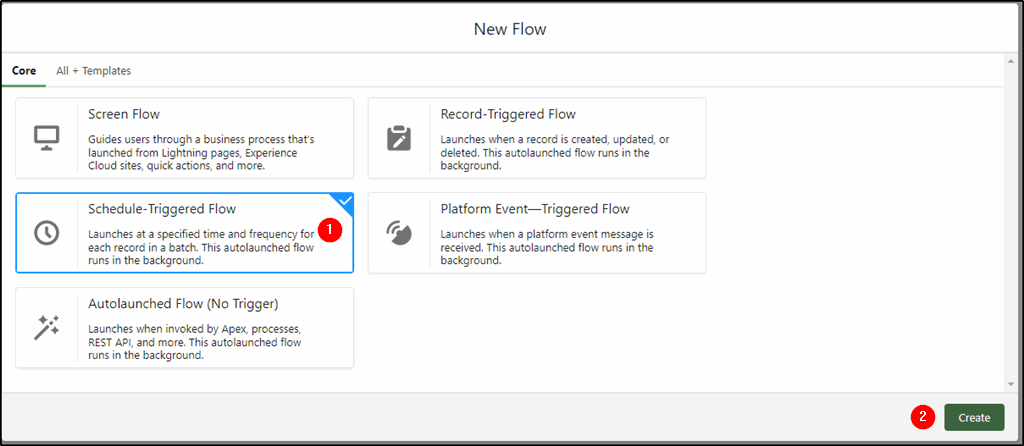
Select the Schedule-Triggered Flow from the choices (1)
Click Create (2)
Step 3: Set a schedule to run the flow
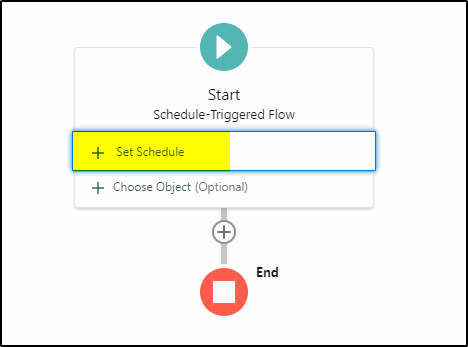
Click Set Schedule:
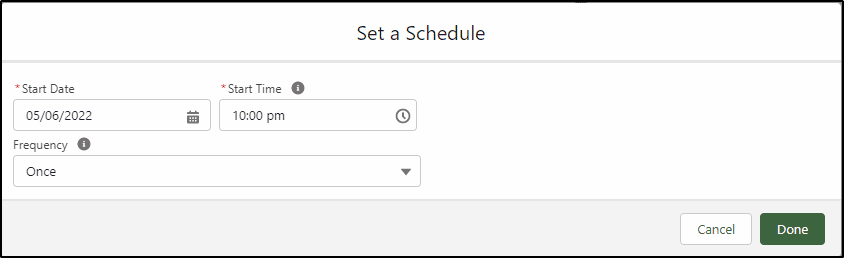
Set the date and time to run the flow and select the frequency – once will be enough if we have less than 250,000 Account records to be updated.
Note: If we have more than 250,000 Account records then we will need to adjust the conditions in Step 4 (below) and add an extra criterion to reduce the number of records processed each time. We may be able to use the year the record was created, the billing country or some other Account field to restrict the number of records and run this process several times (a day apart), adjusting these criteria each time until all records have been updated. The 250,000 records are a daily limit, hence the need to run subsequent processes a day later.
Step 4: Choose object and conditions
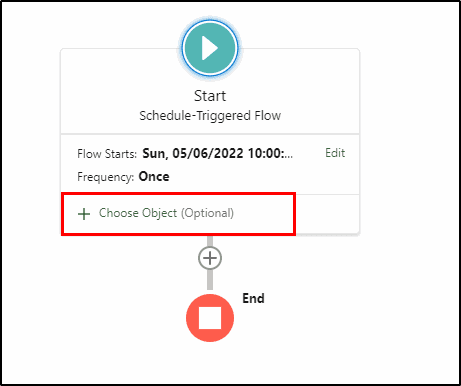
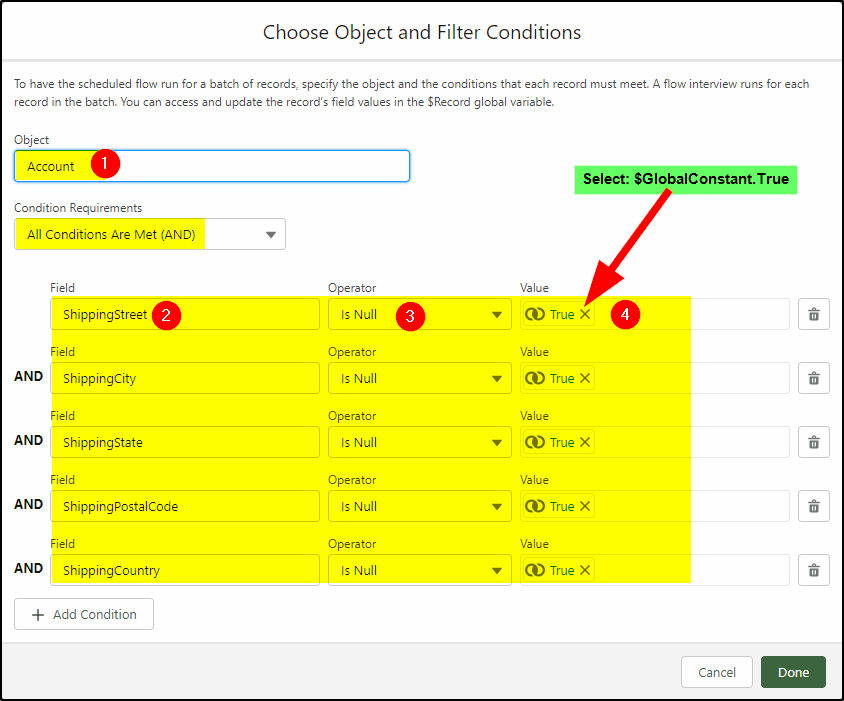
Unlike the Record Triggered flow, we need to test each individual field of the Shipping Address:
Select the Object – Account (1)
Select the fields (2) the Is Null operator (3) and the True value (4) for each of the five Shipping Address fields.
Note: Is Null equals true means the field is blank.
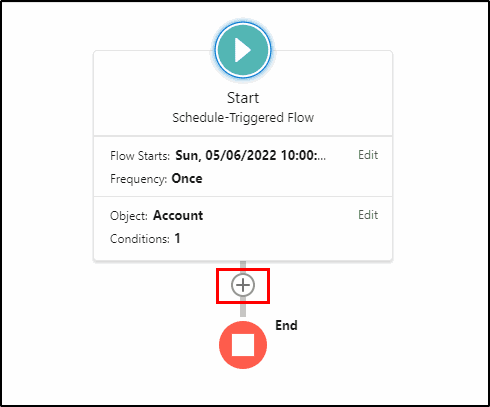
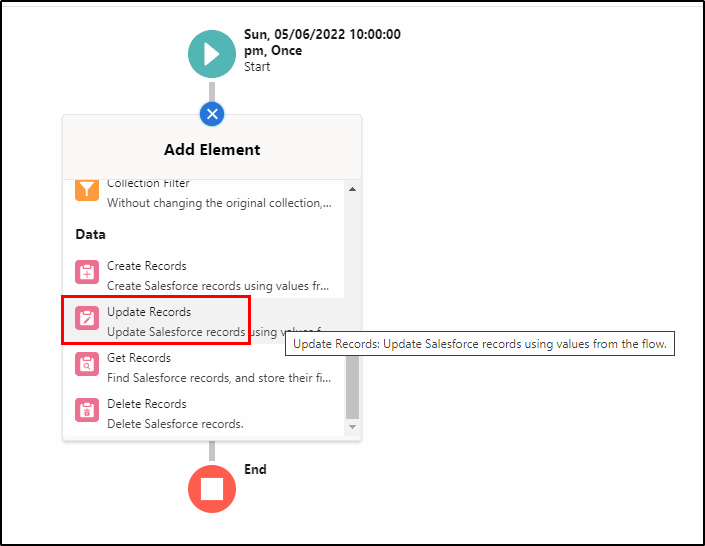
Step 5: Configure the Update Records
Select the “+” symbol under the start element and add an Update Records element.
Configure the Update Records as follows:
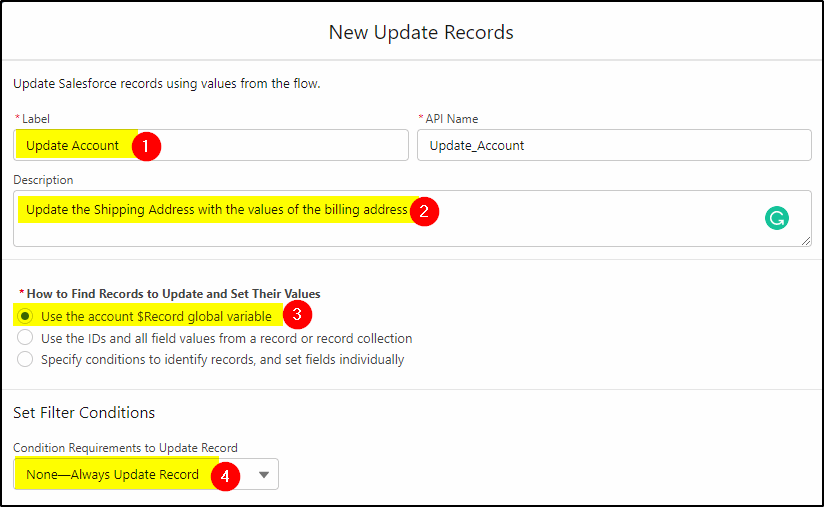
Give it a label (1) and add a description (2)
Select Use the account $Record global variable (3) so we can access the field values of the existing record.
Select the None – Always Update Record condition as we have already specified our conditions in the start element.
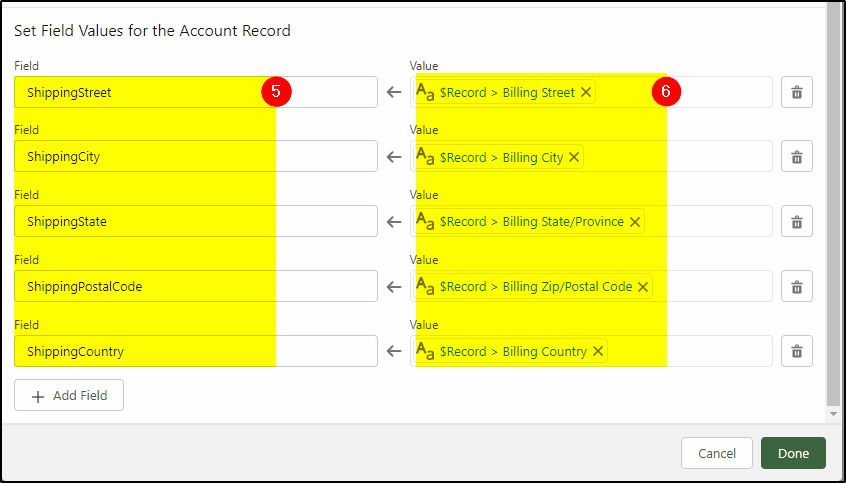
Select the Shipping address values on the left (5) and the matching billing filed under the $record on the right (6). Do the same for all five fields.
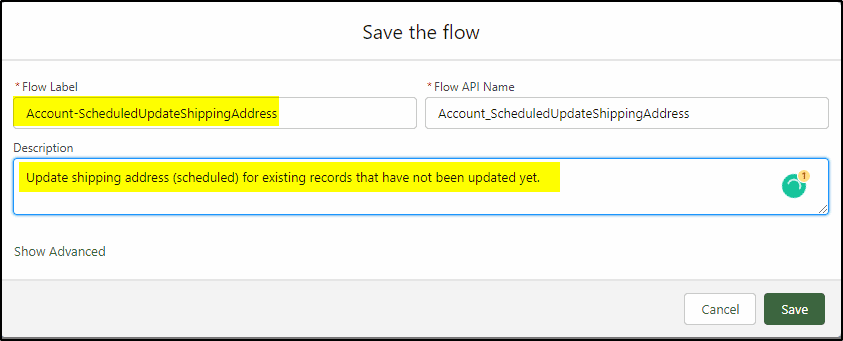
Save and activate the flow.
When the scheduled time rolls around the flow will be triggered and run. Wait a couple of minutes after the scheduled time and check some records (with blank Shipping Addresses) and the Shipping Address fields should have been updated.
This is just a sample of the many things you can do with Salesforce Flow. If you need some help with this example or have a similar requirement, the San Diego Salesforce Consultants at KeyNode Solutions can help you out. Drop us a line at hello@keynodesolutions.comor call us at 1-858-215-5371

Salesforce Winter ’27 – The Top Features
The next Salesforce release is fast approaching, with releases being scheduled on Sept 4, Oct 2nd and Oct 9th. Being the release just before Dreamforce, it’s jam-packed with lots of great new features. Once [...]

Salesforce Summer ’26 – The Top Features
The next Salesforce release is coming soon, with releases being scheduled on June 5, 12, and 13th. This release is packed with lots of great new features and still contains a heavy emphasis on [...]

How Salesforce Service Cloud Transforms Customer Support Operations
Customer expectations have never been higher. Today’s customers demand fast responses, personalized interactions and consistent service across every channel. Organizations that rely on disconnected systems and manual processes struggle to keep up. To stay [...]

Measuring & Improving Customer Support Performance with Salesforce Analytics
Customer support leaders face increasing pressure to deliver faster service, higher satisfaction and consistent performance across teams. Without accurate data and real time visibility, it becomes difficult to identify gaps, manage workloads and drive [...]

Using Salesforce to Deliver Omnichannel Customer Support at Scale
In today’s connected world, customers expect fast and consistent support across every channel. Whether they reach out through email, phone, chat, social media or self service portals, they want seamless interactions without repeating information. [...]

How Salesforce Automation and AI Reduce Support Response Times
Fast response times are critical to delivering exceptional customer service. In a digital first environment, customers expect immediate answers and seamless interactions across every touchpoint. Long wait times and delayed resolutions can quickly erode [...]