

In our last article we solved the problem of the missing Shipping Address on Account records by copying the Billing Address every time a record was created or updated. This unfortunately does not completely solve the problem as we may have many thousands of records that have not been updated and are still missing a Shipping Address.
Because we potentially have many thousands of records to update, we need to be careful not to exceed our limit of resources we have on our Salesforce org. These are known as Governor Limits and exist to make sure that any complex process one customer runs does not impact other customers that share the same resources.
By using a scheduled triggered flow our process can group records to be updated into blocks of 200 records and we have a daily limit of 250,000 records that can be updated this way.
Step 1: Start Flow
From the setup menu, select -> Flows
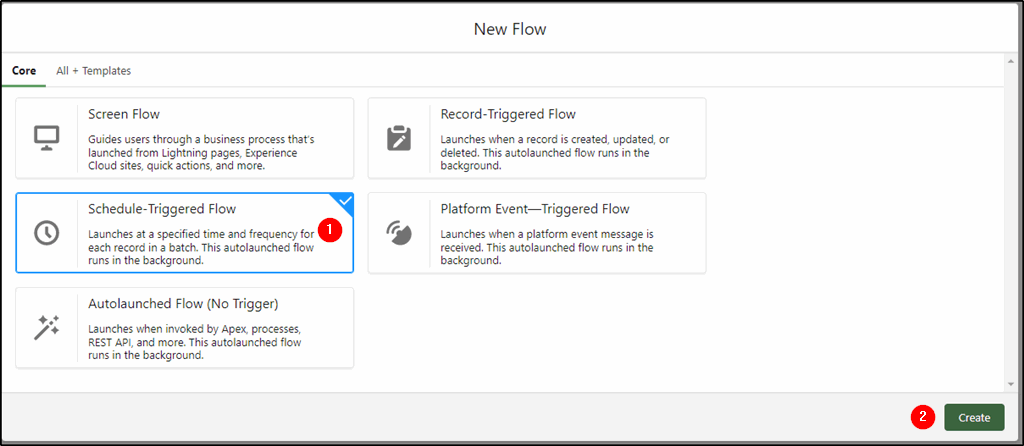
Step 2: Create a new flow
From the Flow screen, click New Flow (top right of page).
Select the Schedule-Triggered Flow from the choices (1)
Click Create (2)
Step 3: Set a schedule to run the flow
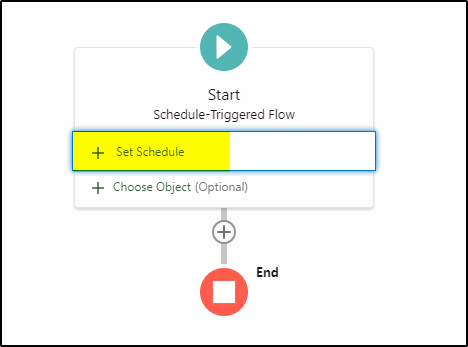
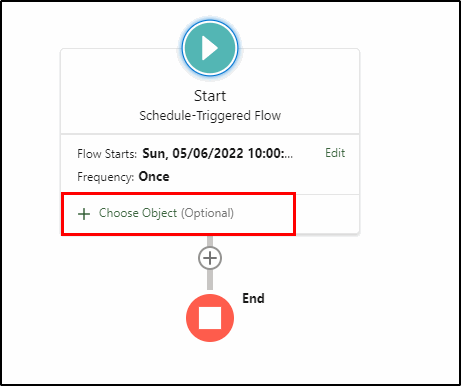
Click Set Schedule:
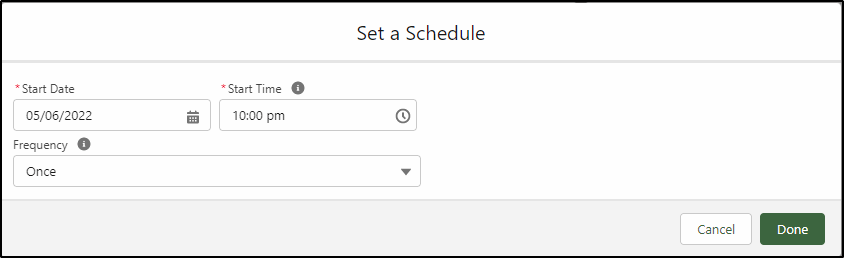
Set the date and time to run the flow and select the frequency – once will be enough if we have less than 250,000 Account records to be updated.
Note: If we have more than 250,000 Account records then we will need to adjust the conditions in Step 4 (below) and add an extra criterion to reduce the number of records processed each time. We may be able to use the year the record was created, the billing country or some other Account field to restrict the number of records and run this process several times (a day apart), adjusting these criteria each time until all records have been updated. The 250,000 records are a daily limit, hence the need to run subsequent processes a day later.
Step 4: Choose object and conditions
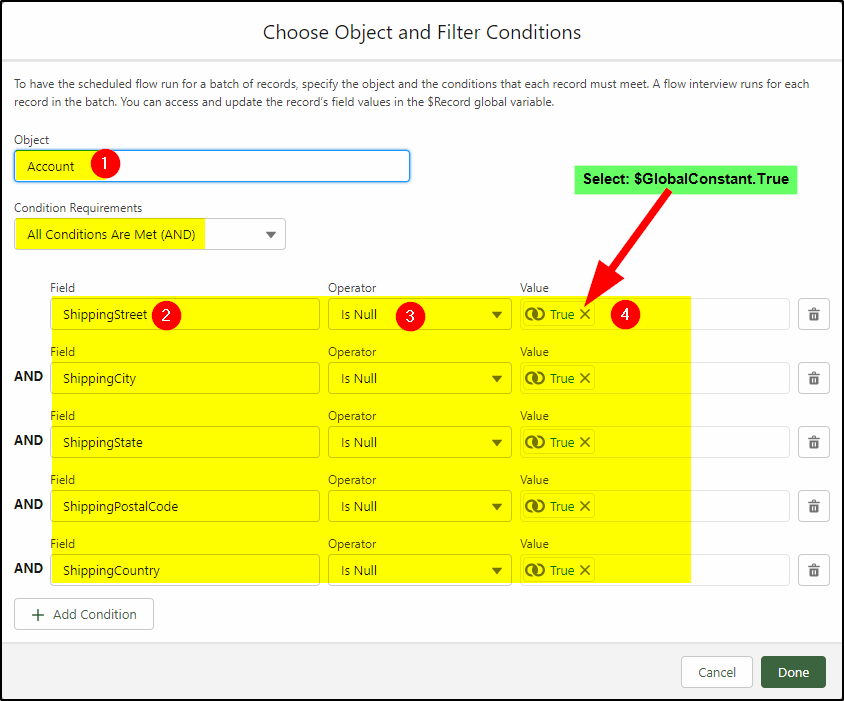
Unlike the Record Triggered flow, we need to test each individual field of the Shipping Address:
Select the Object – Account (1)
Select the fields (2) the Is Null operator (3) and the True value (4) for each of the five Shipping Address fields.
Note: Is Null equals true means the field is blank.
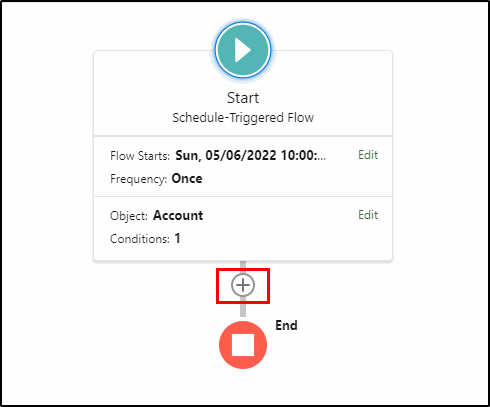
Step 5: Configure the Update Records
Select the “+” symbol under the start element and add an Update Records element.
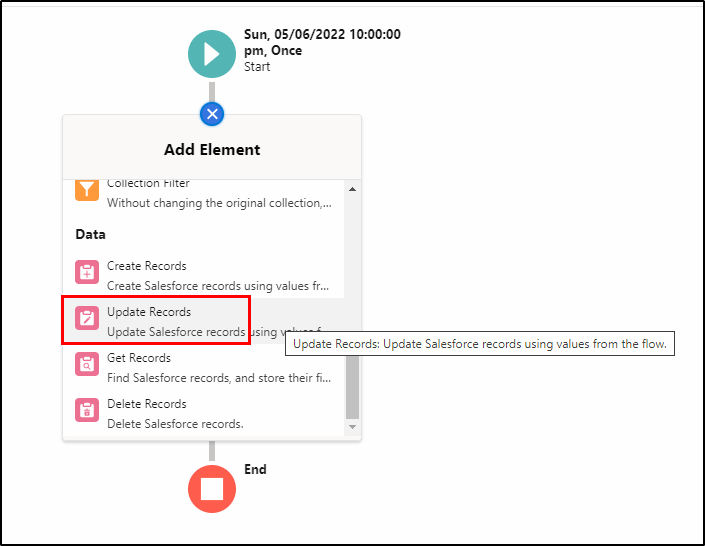
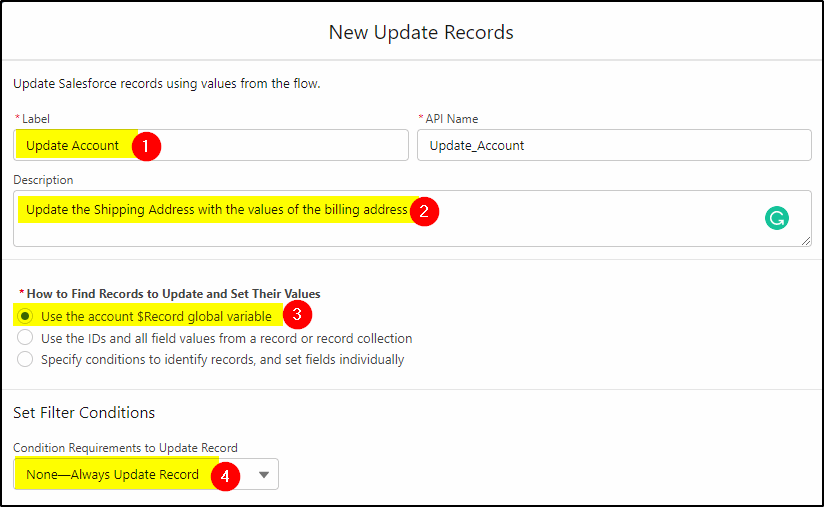
Configure the Update Records as follows:
Give it a label (1) and add a description (2)
Select Use the account $Record global variable (3) so we can access the field values of the existing record.
Select the None – Always Update Record condition as we have already specified our conditions in the start element.
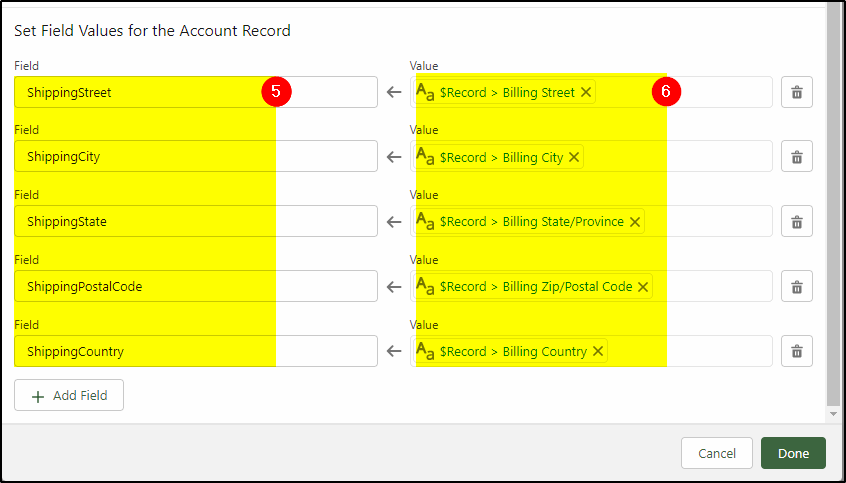
Select the Shipping address values on the left (5) and the matching billing filed under the $record on the right (6). Do the same for all five fields.
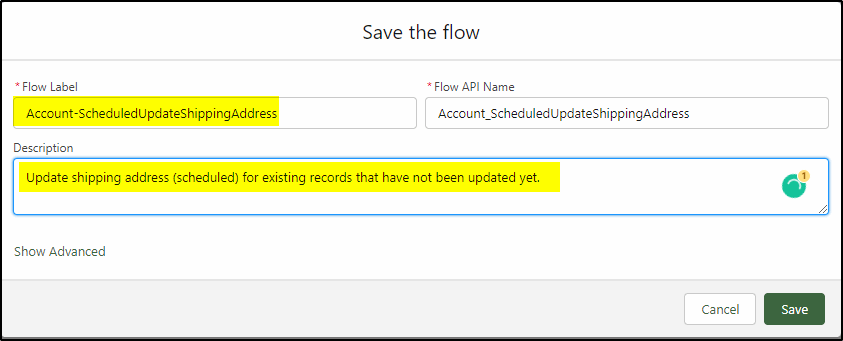
Save and activate the flow.
When the scheduled time rolls around the flow will be triggered and run. Wait a couple of minutes after the scheduled time and check some records (with blank Shipping Addresses) and the Shipping Address fields should have been updated.
This is just a sample of the many things you can do with Salesforce Flow. If you need some help with this example or have a similar requirement, the San Diego Salesforce Consultants at KeyNode Solutions can help you out. Drop us a line at hello@keynodesolutions.comor call us at 1-858-215-5371

Beyond the Chatbot: Managed Services for Salesforce Agentforce
As artificial intelligence becomes central to digital transformation, businesses are looking beyond basic automation tools. Chatbots were only the beginning. Today, organizations want intelligent systems that can reason, act and deliver measurable business outcomes. [...]

Salesforce Shield & Data Mask: Managed Security Services
Generative AI is reshaping how organizations use CRM data. Intelligent automation, predictive insights and AI driven workflows are unlocking new efficiencies across sales and service teams. However, as AI tools access increasing volumes of [...]

How Can Salesforce Help Increase Sales?
In today’s competitive business environment, increasing sales is not just about having a great product or service, it’s about understanding customers, streamlining processes and making data-driven decisions. Salesforce, the world’s #1 Customer Relationship Management [...]

What Salesforce Features and Benefits Help Salespeople?
Sales success today depends on speed, accuracy and strong customer relationships. Salesforce is designed to support salespeople at every stage of the sales cycle, helping them work smarter and close deals faster. At KeyNode Solutions, [...]

Why Do Companies Use Salesforce?
Companies adopt Salesforce because it helps them manage customers, grow revenue and operate more efficiently. In a business environment where data speed and customer experience matter more than ever, Salesforce provides a powerful platform [...]

Why Salesforce Is Good for Sales Reps
Sales reps succeed when they have clarity, speed and confidence in their daily work. Salesforce has become one of the most trusted sales platforms in the world because it delivers exactly that. For organizations [...]