

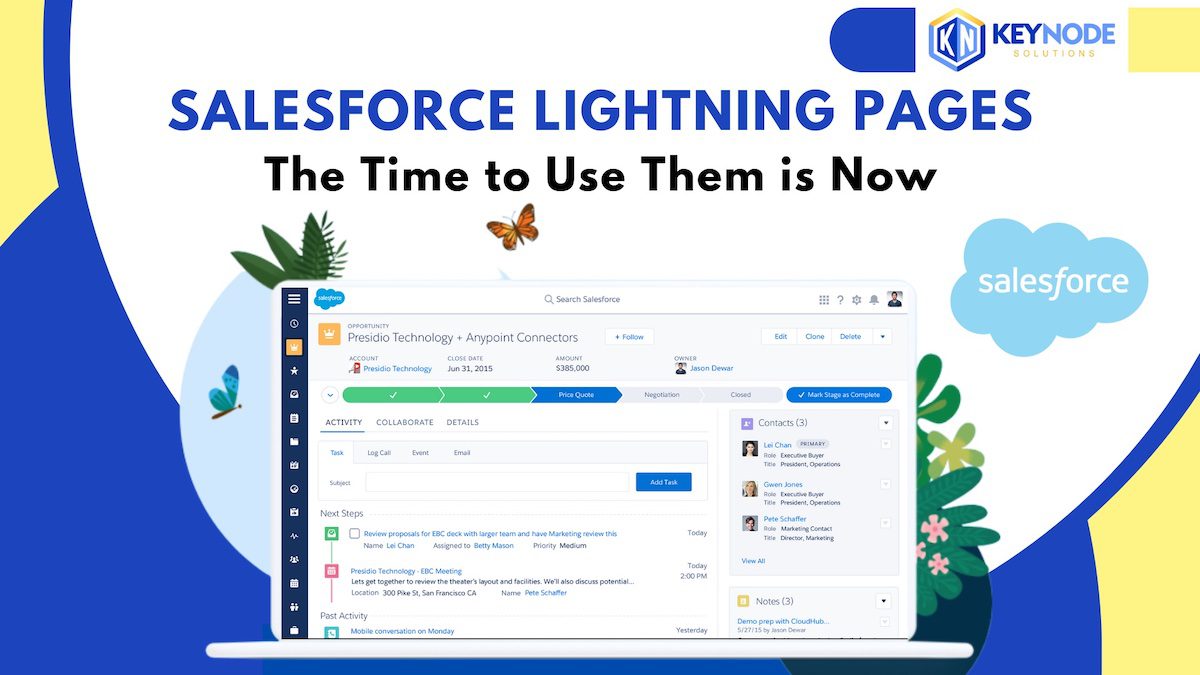
 Prior to the release of Salesforce Lightning, the design and layout of a Salesforce page was all done in the Page Layout. Now the Lightning Record Page has largely replaced the Page Layout and covers the entire page display including the record details, side panels, tabs, action buttons, utility bar, and the heading section.
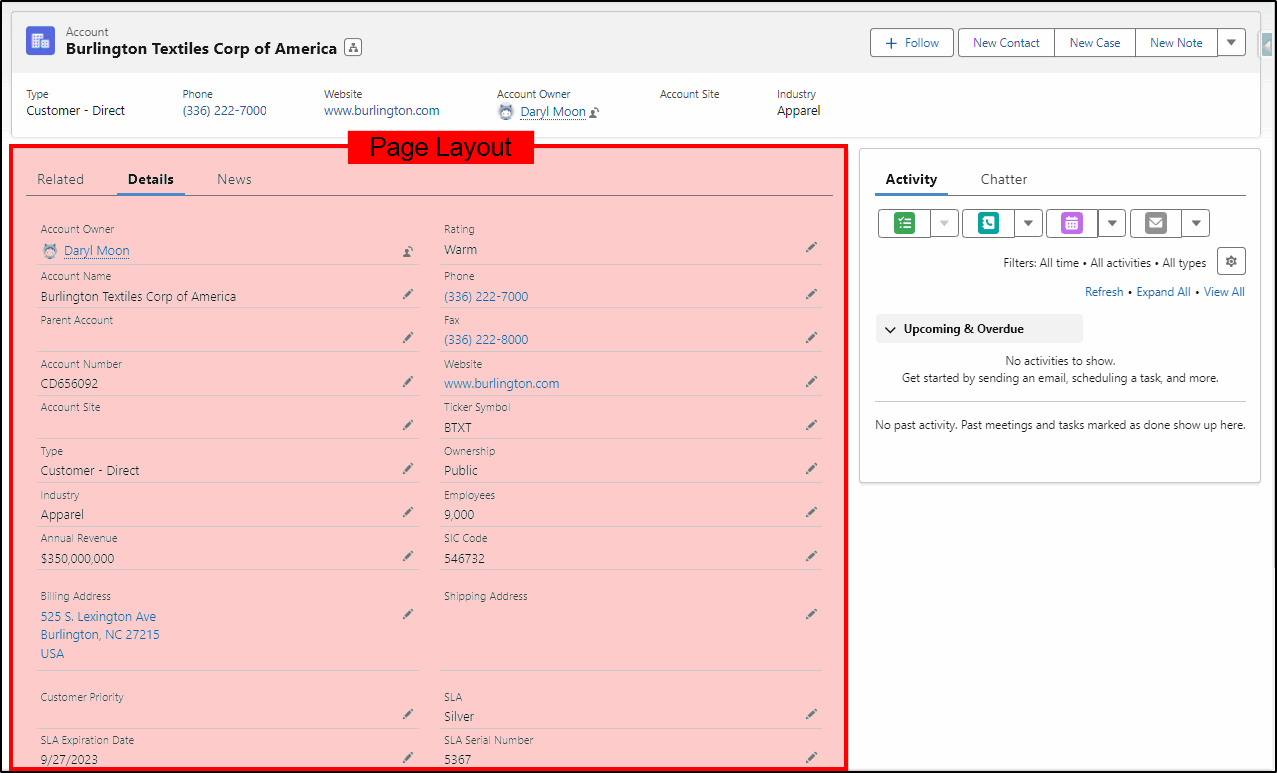
Page Layout
The original page layout when used in a Lightning Record Page only controls the Record Details layout as highlighted in the image below. With the newest feature “Dynamic Pages” even that configuration can now be replaced as well.
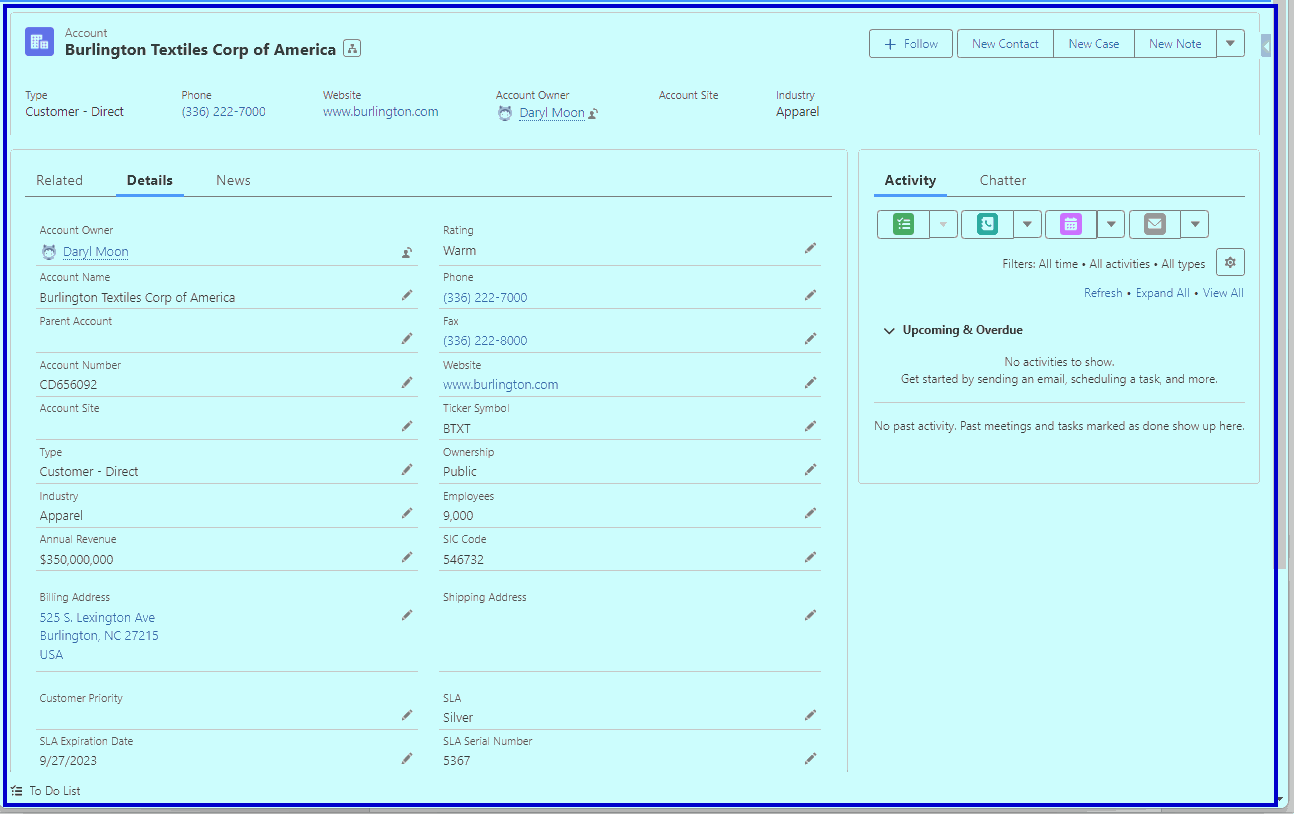
Lightning Record Page
The Salesforce Lightning Record Page shown below can now occupy and control the entire page display.
Components Everywhere!!
The design of the Lightning Record Page is now done with a series of building blocks. These “components” can be arranged and configured in a myriad of ways to meet the individual customer requirements. Components can be as small as an individual field, a single button, or an image. Criteria can be applied to components to decide when they are displayed and other features like mandatory or read only field controls can be applied.
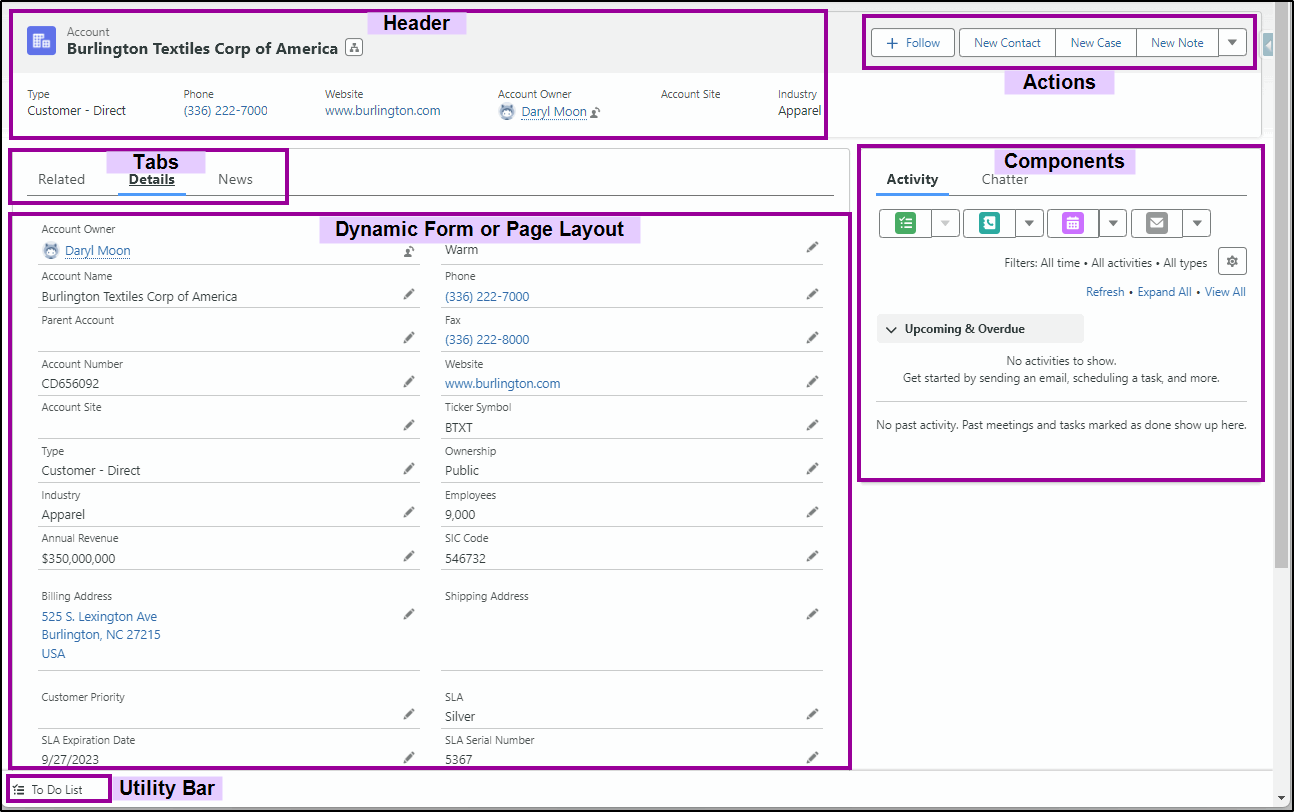
A Salesforce Lightning Page typically has these sections:
A Header that displays key information and is always displayed, regardless of the tab the user may have selected on that page. A selection of Tabs that contain a number of “Page Layout” type field displays. These can be actual Page Layouts or the newer Dynamic Forms. A Utility Bar at the bottom of the page that gives one-click quick actions to features. A set of Action buttons on the top right of the page. On the right side of the page is room for additional components (e.g. for Activities and a Chatter feed)
Templates
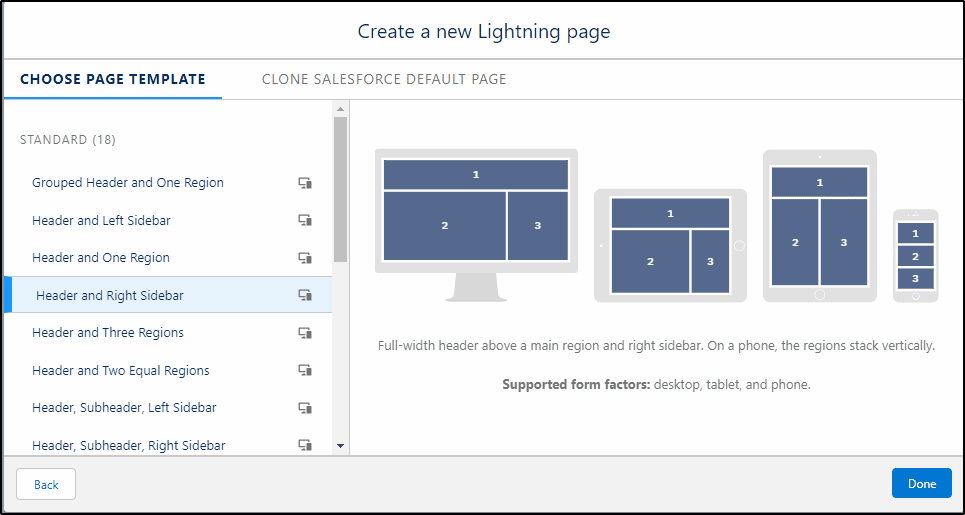
When designing Salesforce Lightning Record pages, you have a number of templates that you can use for the overall layout. The Lightning App Builder tool allows you to select a template that meets your needs for the layout design. You can select headers, side bars on the left or right, one large and one smaller region or two same sized regions. You can even get developers to build your own custom template.
Tabs
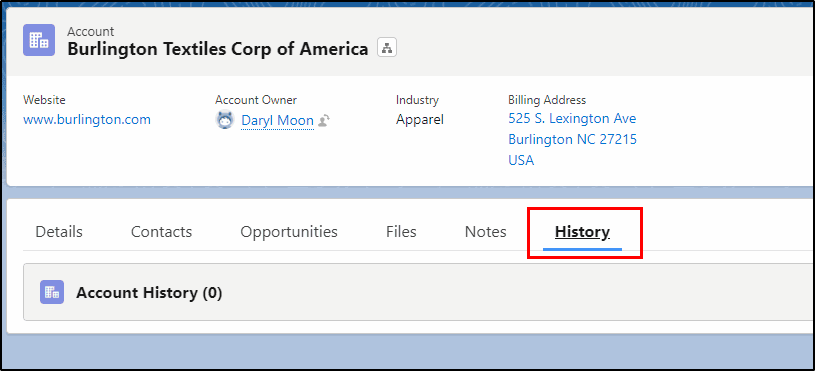
Instead of having a number of related lists under the Related tab, you can create custom tabs and name them with exactly what they contain. This not only makes navigation much easier; it also makes the pages faster to load as the tab components are only loaded when you select the tab.
Here the History tab is shown:
Dynamic Forms
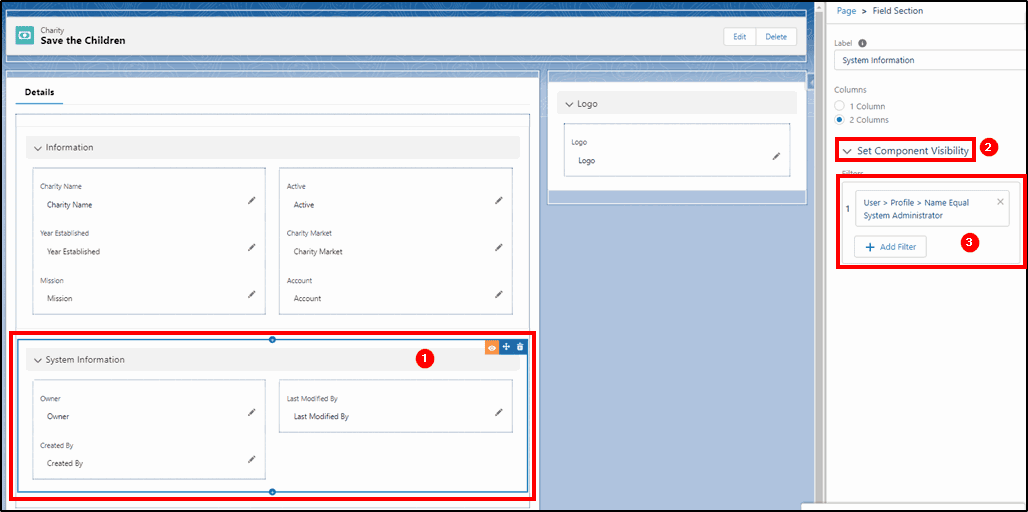
Salesforce Dynamic Forms is the evolution of the page layout to the new environment where everything is a component. Each individual field can be a component if you want, giving you the flexibility to place it where you want and to control visibility with the component visibility feature.
Here, the System Information section (1) is configured as a component with three fields and component visibility (2) has been configured to only show this section if the user has the System Administrator profile (3).
Dynamic Actions
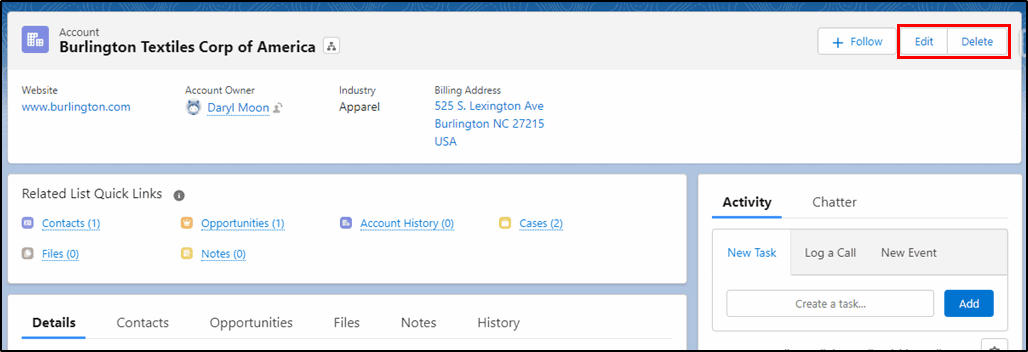
The buttons on the top right of the page that allow users to perform actions can also be controlled from within the lightning page with Salesforce Dynamic Actions. Like other components, the visibility can also be set so they are only shown when appropriate. If the user does not have delete access on the object – it is a bit pointless to display the Delete button so this can be turned on/off depending on the user profile.
Custom Components
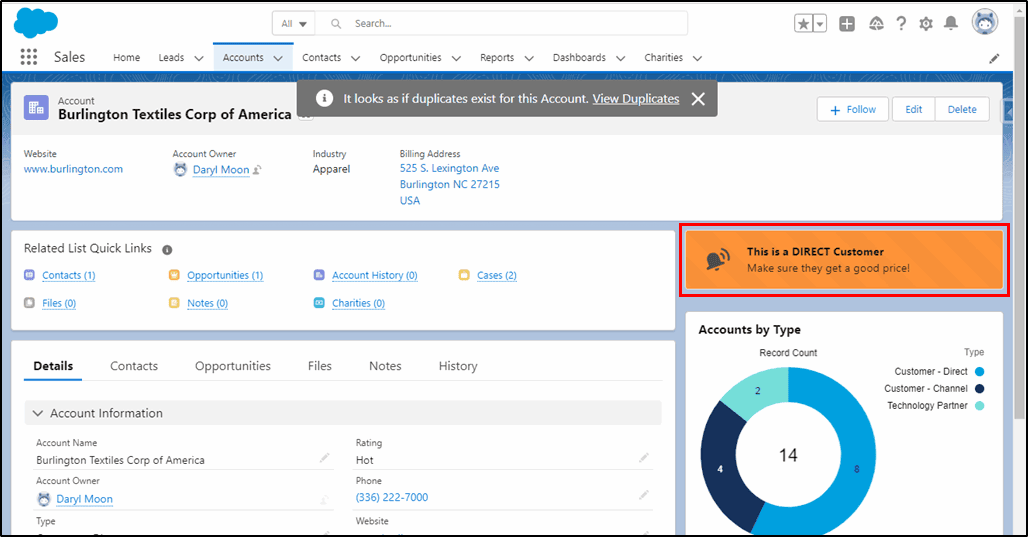
Custom Components that can be built by your own developers or downloaded from the AppExchange (with many free), can provide a more feature rich page that helps and guides the users to do their job more efficiently. Here the “Lightning Messaging Utility” reminds the user that this Account is a Direct customer and they should be offered a good price.
Charts
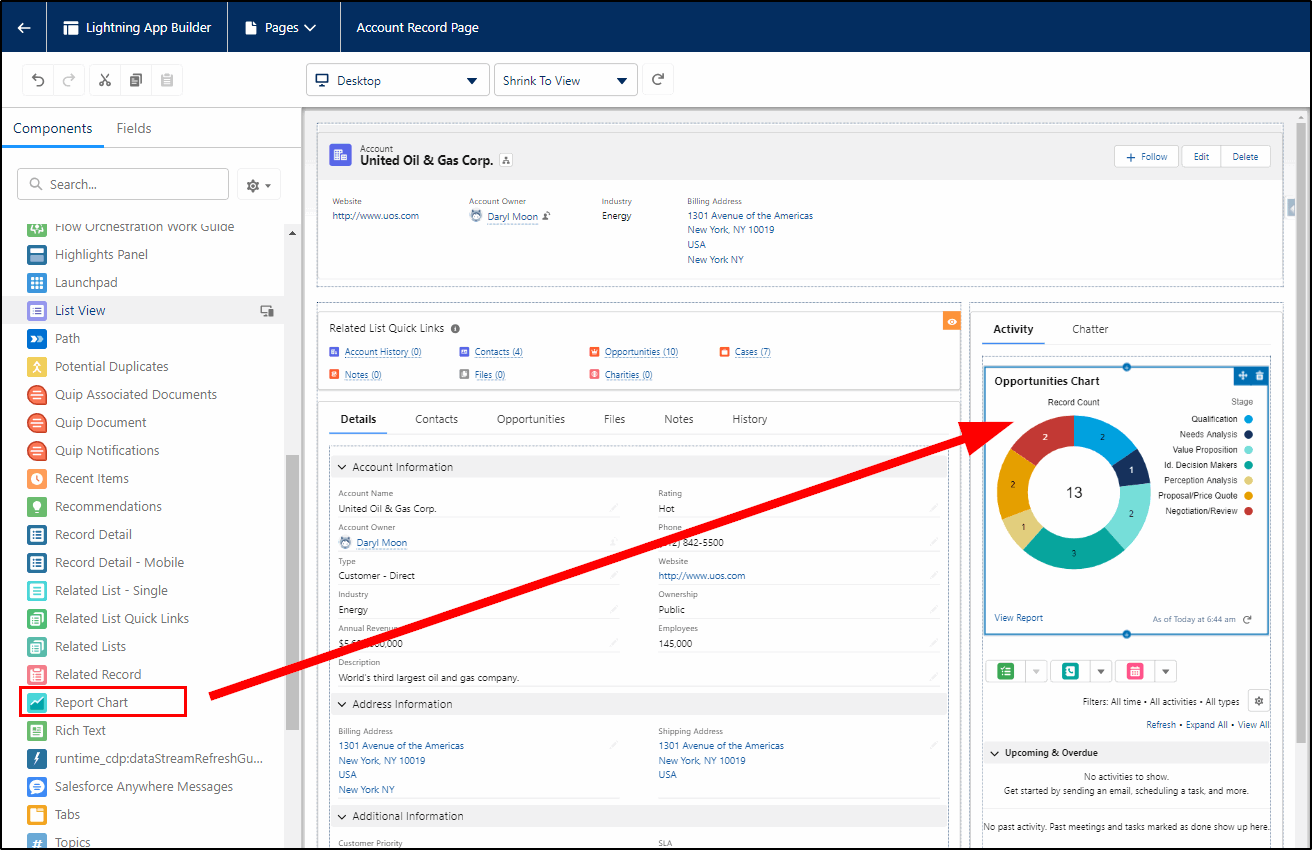
Any report that has a chart configured can also be added to a Lightning Record page. This provides information at a quick glance – this example shows how many Opportunities are at each stage for this Account.
If your Lightning Record Pages are not easy to navigate and are slowing down your Sales and Service staff, have a conversation with the Salesforce Partners at KeyNode Solutions who can apply some of these and many other new User Experience features to turbo charge them. Contact us at hello@keynodesolutions.com or call us at 1-858-215-5371. Keeping your pages simple and easy to navigate is the key to better performance and improved results from your team.
 KeyNode Solutions is a full-service Salesforce Consulting Partner company. We deliver the ultimate Salesforce solutions to grow your business: implementation, integration, customization, and development. Our best-in-class Salesforce managed services for ongoing support available nationwide.

Salesforce Winter ’27 – The Top Features
The next Salesforce release is fast approaching, with releases being scheduled on Sept 4, Oct 2nd and Oct 9th. Being the release just before Dreamforce, it’s jam-packed with lots of great new features. Once [...]

Salesforce Summer ’26 – The Top Features
The next Salesforce release is coming soon, with releases being scheduled on June 5, 12, and 13th. This release is packed with lots of great new features and still contains a heavy emphasis on [...]

How Salesforce Service Cloud Transforms Customer Support Operations
Customer expectations have never been higher. Today’s customers demand fast responses, personalized interactions and consistent service across every channel. Organizations that rely on disconnected systems and manual processes struggle to keep up. To stay [...]
Measuring & Improving Customer Support Performance with Salesforce Analytics
Customer support leaders face increasing pressure to deliver faster service, higher satisfaction and consistent performance across teams. Without accurate data and real time visibility, it becomes difficult to identify gaps, manage workloads and drive [...]

Using Salesforce to Deliver Omnichannel Customer Support at Scale
In today’s connected world, customers expect fast and consistent support across every channel. Whether they reach out through email, phone, chat, social media or self service portals, they want seamless interactions without repeating information. [...]

How Salesforce Automation and AI Reduce Support Response Times
Fast response times are critical to delivering exceptional customer service. In a digital first environment, customers expect immediate answers and seamless interactions across every touchpoint. Long wait times and delayed resolutions can quickly erode [...]