


Salesforce Summer ’23 – The Top Features
With the Summer ’23 release out, now is the right time to take a look at what new features we can start to utilize.
Analytics (Reports & Dashboards)
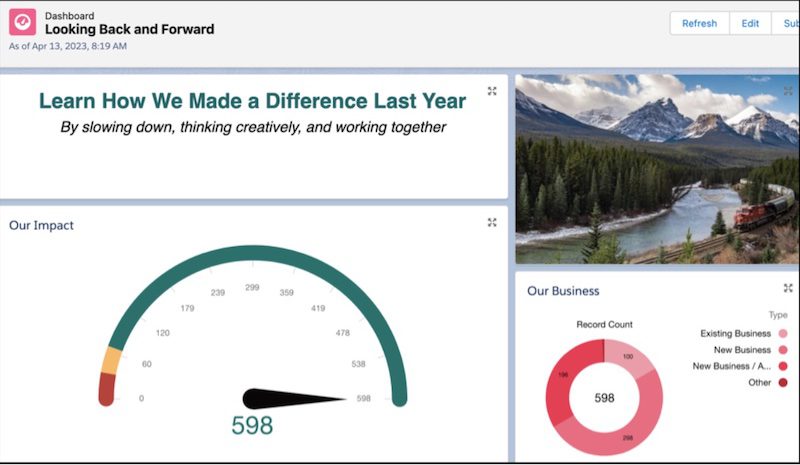
Widgets replace dashboard components for Salesforce Unlimited edition licenses (hopefully the rest will get access in the next release). When building dashboards, you can now add widgets that contain images and rich text. This is a great feature to allow you to provide further information to describe the dashboard. The number of dashboard filters has also been expanded to 5, for unlimited licenses only.
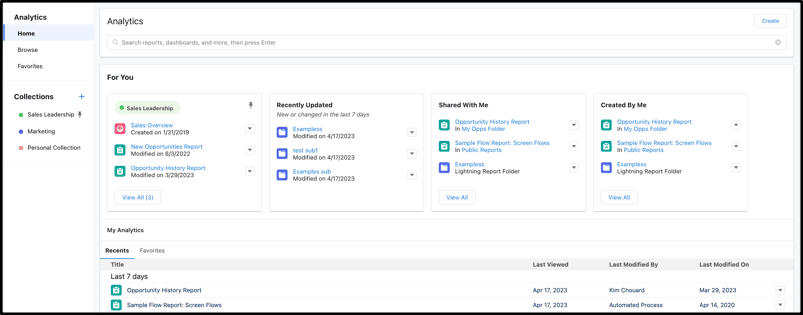
Analytics Home is the new consolidated place for all Reports and Dashboards. If you are using CRM Analytics (the Tableau solution for Salesforce) then they are all in there too. From the App Launcher, select Analytics to start exploring the new Analytics Home app.
Sales Enhancements
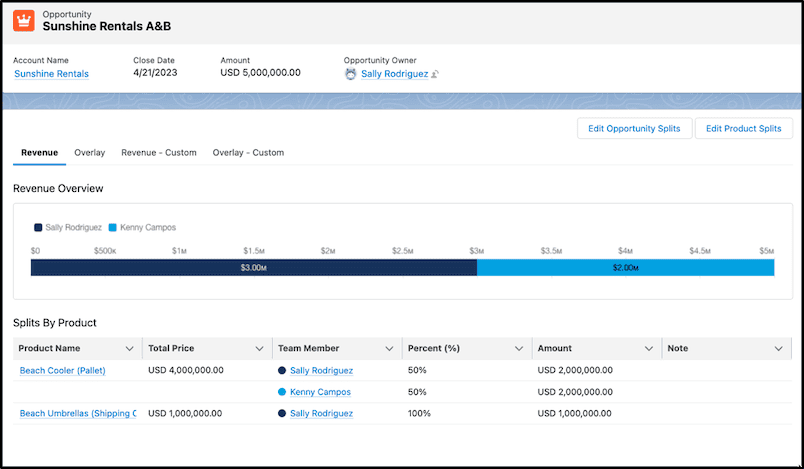
Opportunity Product Splits now allow the revenue from an opportunity to be split by product. Previously this could only be done at the opportunity level. Now you can separate this. If your opportunity includes physical products plus installation/service products you can now allocate a percentage of the Opportunity revenue to the service team that helped to secure the deal or who will provide the service.
In the example below, the sales person (Sally) shared the revenue for the first product but retained all the revenue for the second product:
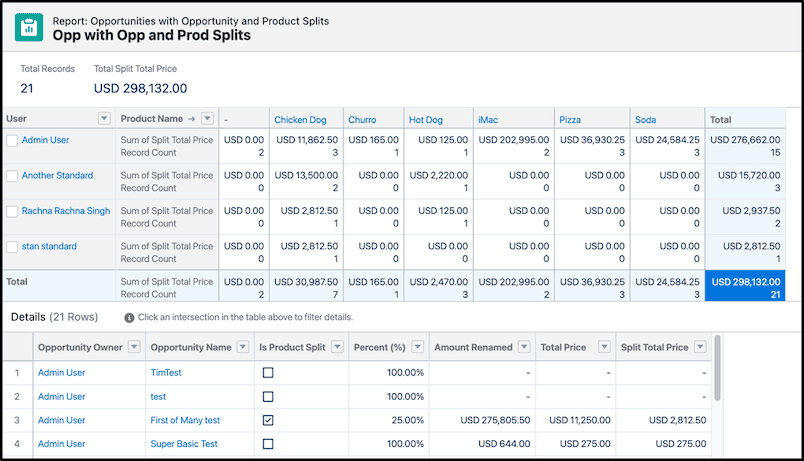
When forecasts are created on the Opportunity Product Split object, sales teams can project what revenue they will receive based on the deals they own or for those they are supporting. Standard reports for Opportunity Splits are also provided.
External data sources can also now be used for forecasting. Use custom fields for numbers or currency figures to integrate into existing forecasts, keeping all your forecasting data in one place.
Learn more about Forecasting Enhancements.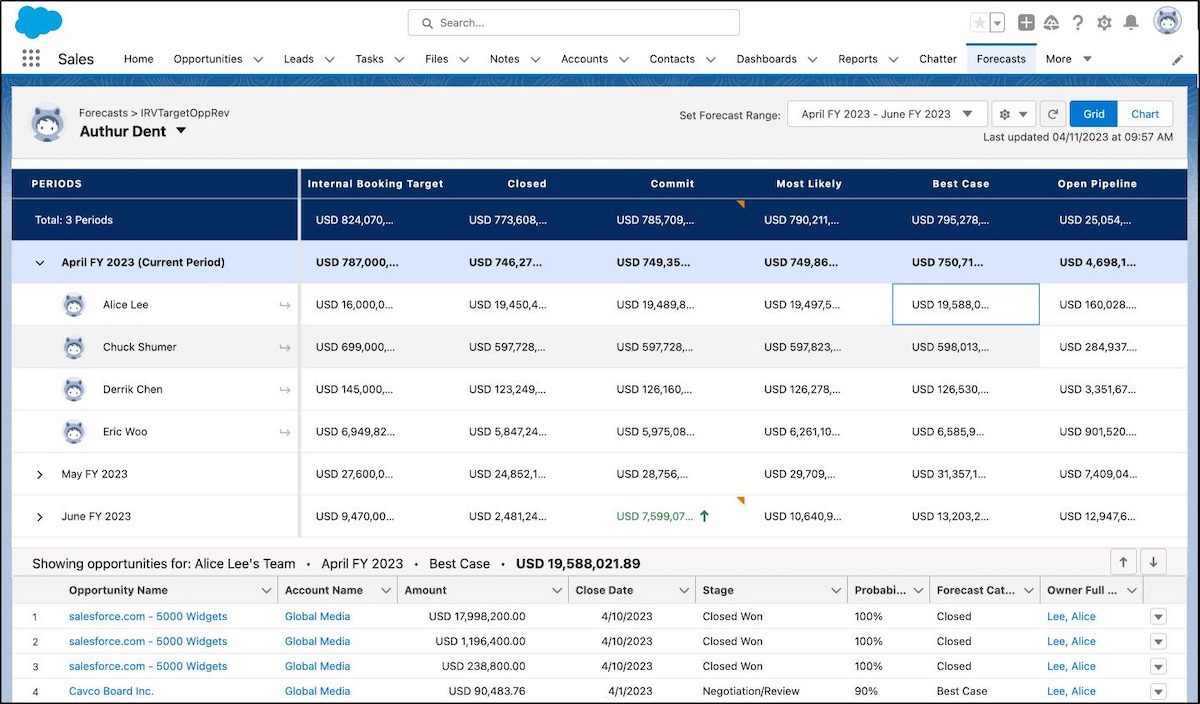
Process Builder
The 2nd generation automation tool – Process Builder has now been retired in favor of the newer Flow Builder tool. Flow automations offer much better performance and many more features than Process Builder. This retirement is no surprise, Salesforce Admins have been advised well in advance of this retirement and have been upskilling with flow for some time.
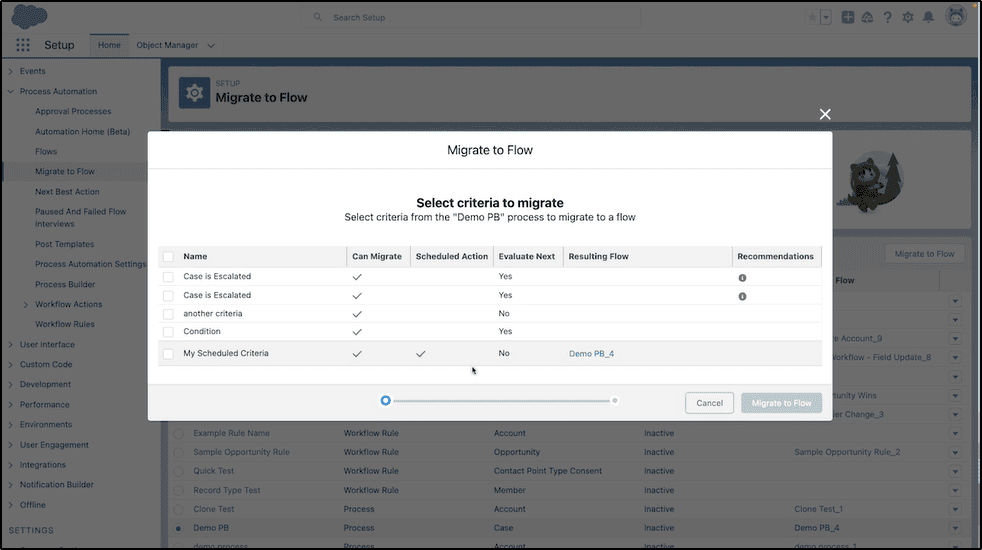
Along with the retirement of process Builder is an improved migration tool to migrate automations into flow. Now the Process Builder automations that contain scheduled actions are now supported.
In-App Guidance Gets More Granular
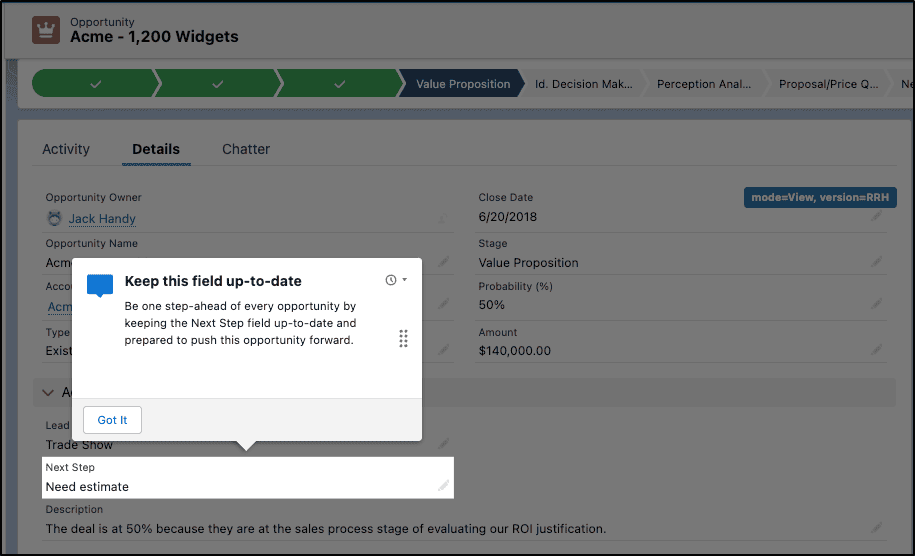
Admins can now configure In-App Guidance to target any field on a page to provide much more granular assistance than available before. Have a new field that users need additional help with? – this is a perfect use case.
Calendar Improvements
There have been a lot of improvements made to the calendar.
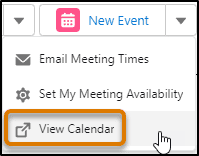
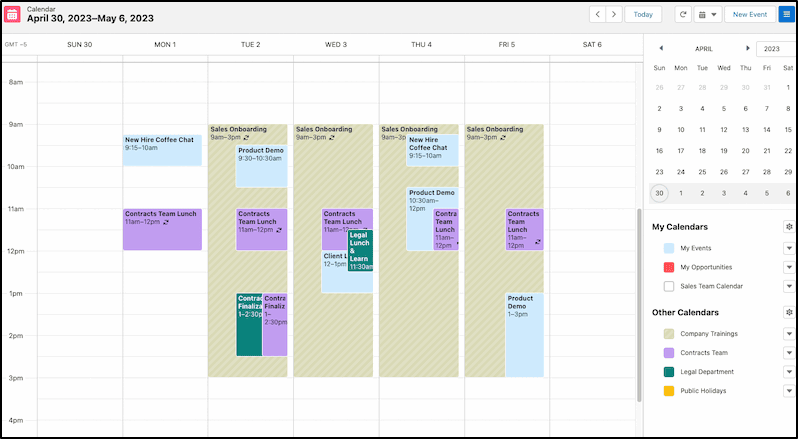
One-click access to your calendar when viewing from the New Event icon in the activities panel.
Other new calendar features include:
- The ability to view up to 500 events.
- Enable events for up to 50 shared calendars and resources.
- Drag events to reschedule.
- Click an event to preview (instead of hovering).
- View overlapping event tiles, expanded test, and shaded coloring for dates in the past.
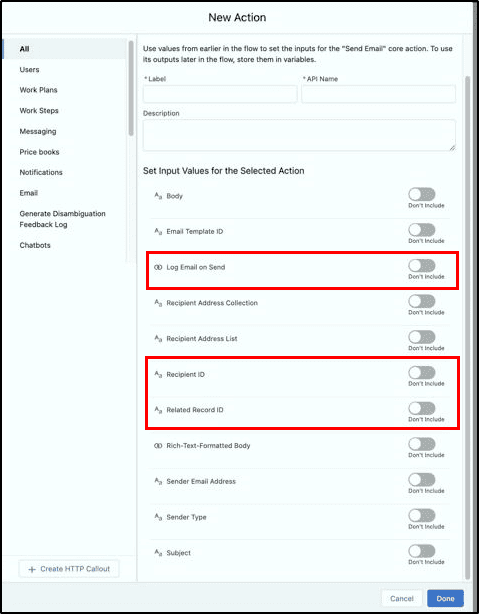
Send Email Feature
While this is an admin feature that can be used when building flows, users will appreciate that when an automation is built and it sends an email to a customer, this is automatically logged and can be seen in the activity timeline. No more “system” emails being sent to customers without the account owner being aware of them. This helps provide a 360-degree view of all communication with the customer.
Accessibility Improvements
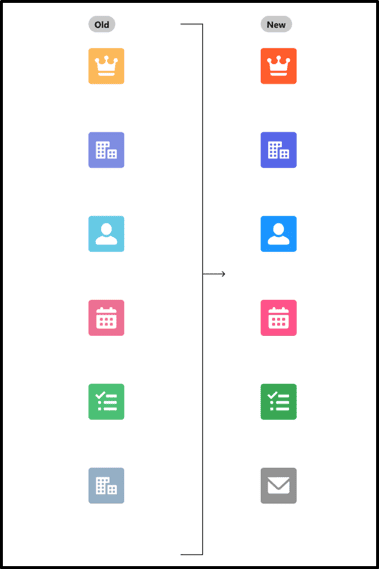
Some icons have changed color slightly to meet accessibility standards. The changes are subtle but they provide improved contrast for vision impaired users.
Performance Improvements
There have been several areas where performance improvements have been implemented. This includes home page components where over 80% of components use the new Lightning Web Components technology to improve performance, provide better accessibility support and better service availability.
Flow Data Table
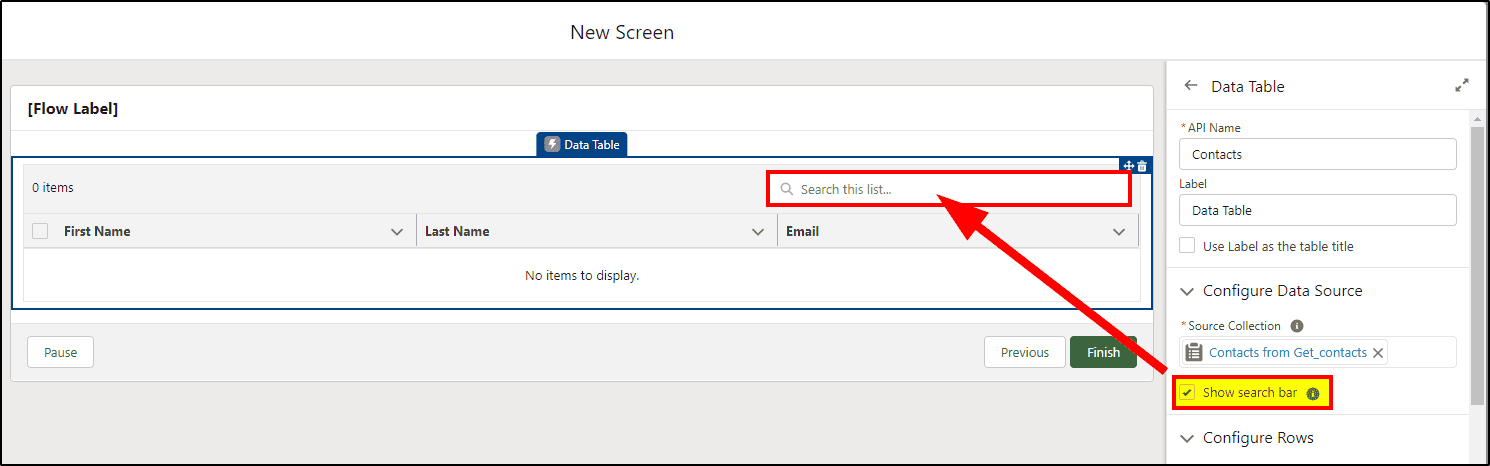
When building flows to automate your business, you can now add a Search Bar to the Data Table to allow search in displayed records. The table can now display up to 1500 records, with 200 records displayed initially and groups of 100 additional records as required.
BarcodeScanner Features
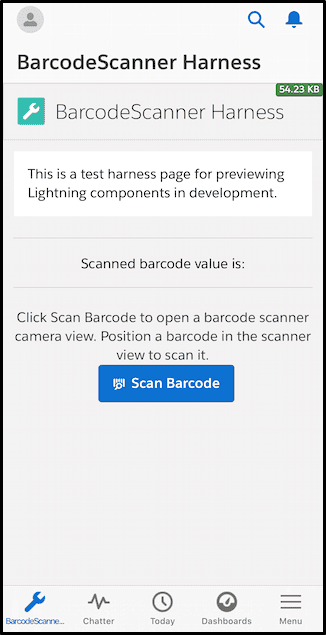
Barcode scanning is now easier with BarcodeScanner for the Salesforce Mobile App. Included is the option to enable scanning multiple barcodes simultaneously. Bulk and multi-scanning options are available to support processing the barcodes after scanning is completed.
News, Automated Account Fields, and Account Logos Are Being Retired
The News, automated account fields, and automated account logo features are being retired in all Salesforce orgs in Winter ’24 on October 13, 2023. After these account features are retired, Salesforce doesn’t prompt users with suggestions for account names and doesn’t fill out fields or add company logos automatically. The News component is removed from page layouts.
This is just a high-level summary of Summer 23 new features. If you need some help or more information on these features, the San Diego Salesforce Consultants at KeyNode Solutions can help you out. Drop us a line at hello@keynodesolutions.com or call us at 1-858-215-5371

Salesforce Winter ’27 – The Top Features
The next Salesforce release is fast approaching, with releases being scheduled on Sept 4, Oct 2nd and Oct 9th. Being the release just before Dreamforce, it’s jam-packed with lots of great new features. Once [...]

Salesforce Summer ’26 – The Top Features
The next Salesforce release is coming soon, with releases being scheduled on June 5, 12, and 13th. This release is packed with lots of great new features and still contains a heavy emphasis on [...]

How Salesforce Service Cloud Transforms Customer Support Operations
Customer expectations have never been higher. Today’s customers demand fast responses, personalized interactions and consistent service across every channel. Organizations that rely on disconnected systems and manual processes struggle to keep up. To stay [...]
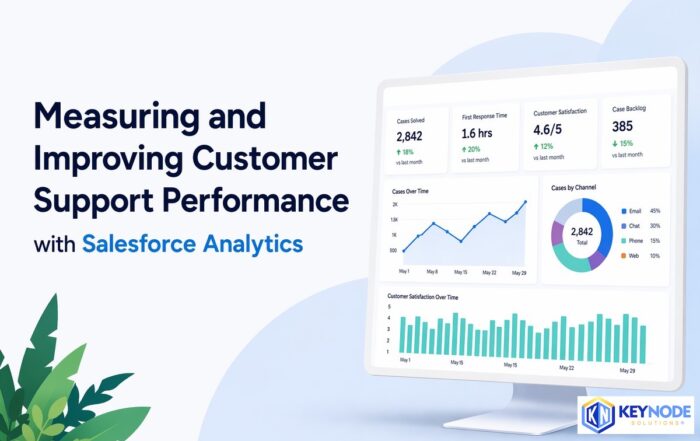
Measuring & Improving Customer Support Performance with Salesforce Analytics
Customer support leaders face increasing pressure to deliver faster service, higher satisfaction and consistent performance across teams. Without accurate data and real time visibility, it becomes difficult to identify gaps, manage workloads and drive [...]

Using Salesforce to Deliver Omnichannel Customer Support at Scale
In today’s connected world, customers expect fast and consistent support across every channel. Whether they reach out through email, phone, chat, social media or self service portals, they want seamless interactions without repeating information. [...]

How Salesforce Automation and AI Reduce Support Response Times
Fast response times are critical to delivering exceptional customer service. In a digital first environment, customers expect immediate answers and seamless interactions across every touchpoint. Long wait times and delayed resolutions can quickly erode [...]