


The next Salesforce release is fast approaching, with releases being scheduled on Sept 4, Oct 2nd and Oct 9th. Being the release just before Dreamforce, it’s jam-packed with lots of great new features. Once again, there is a heavy emphasis on Artificial Intelligence, but we will skip over most of the AI features and showcase the features that apply to everyone.
Mass Actions for List Views
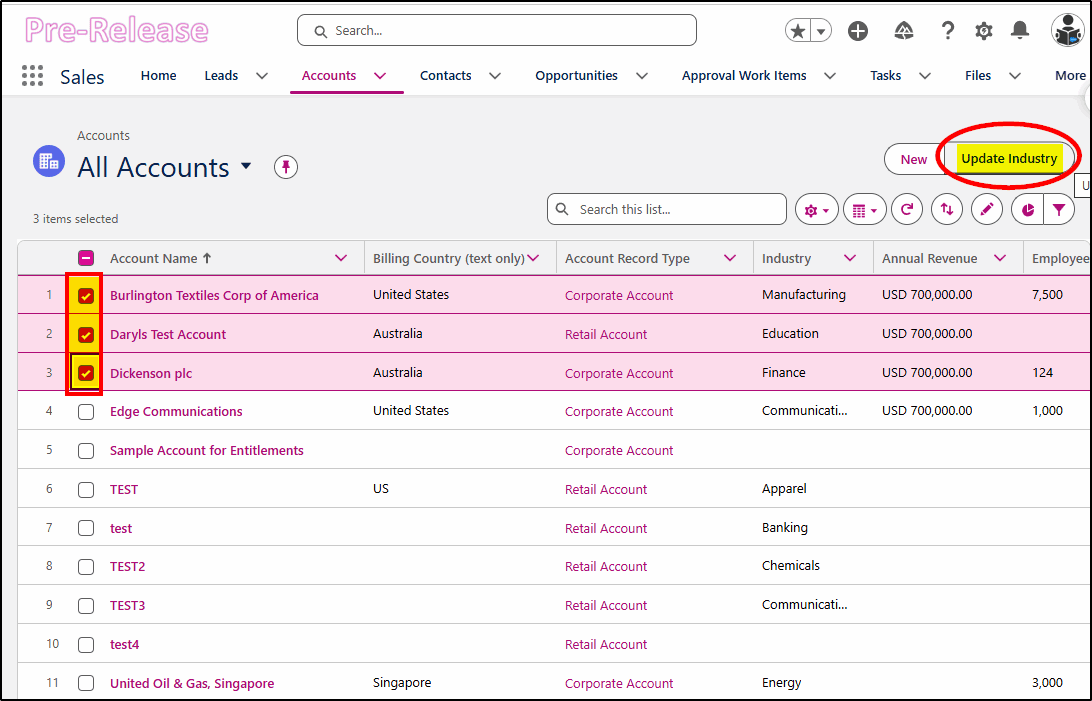
When you need to make changes to several records at once from a list view or related list, the new Mass Actions feature allows you to select a group of records and apply the same change to all records.
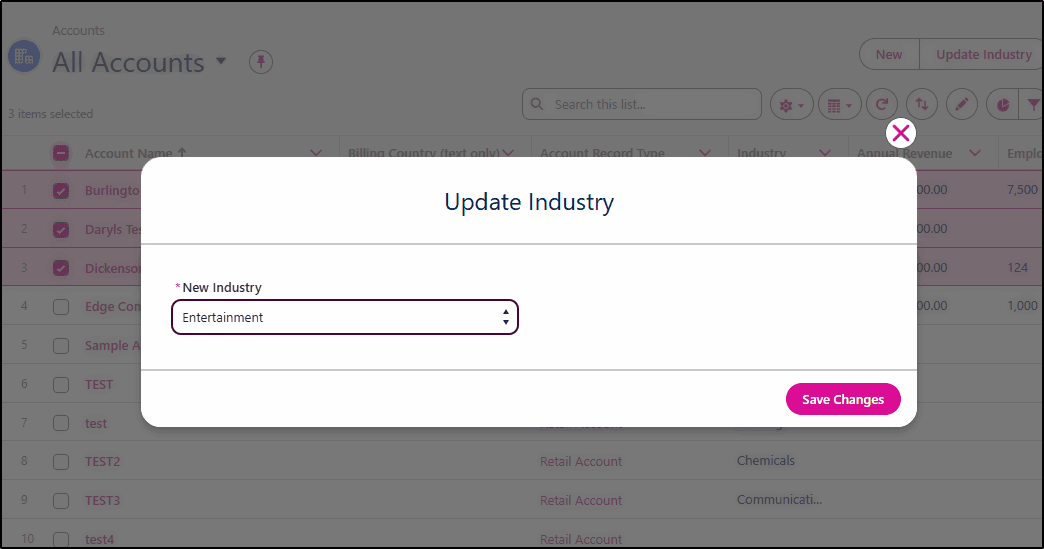
Perhaps you need to change the industry on multiple Accounts, change the close date for several opportunities, or change the status of multiple cases? This feature makes this a simple task for admins to build a Flow automation to do this.
Update all selected records to have the Industry value of Entertainment:
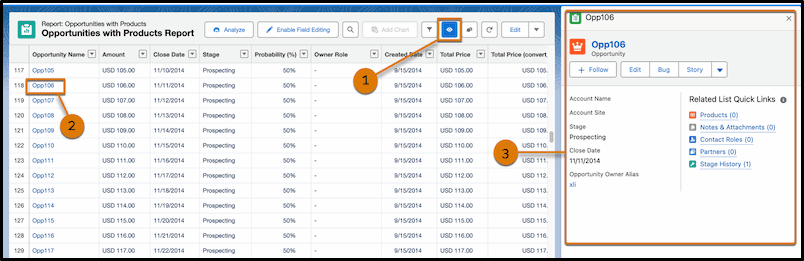
Reports Record Preview (beta)
When editing a Salesforce report, you may want to see the details of one of the records without leaving the report or opening yet another tab! With this (beta) feature, you can easily choose a record to view in the sidebar. Once enabled in Setup -> Reports and Dashboard Settings, you will have an “eye” icon that you can choose in the toolbar (1), then you can select a record (2) to view in the sidebar (3).
*At the time of publication, this beta feature was not yet in pre-release orgs.
Einstein Activity Capture
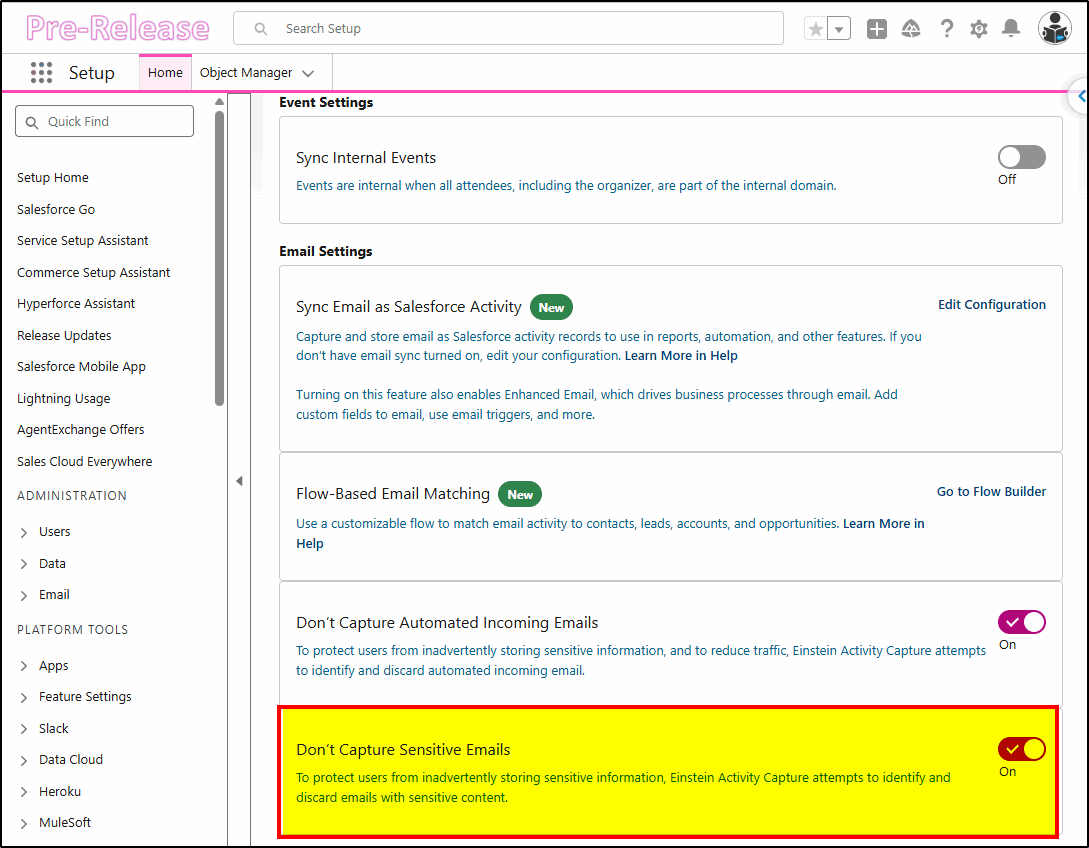
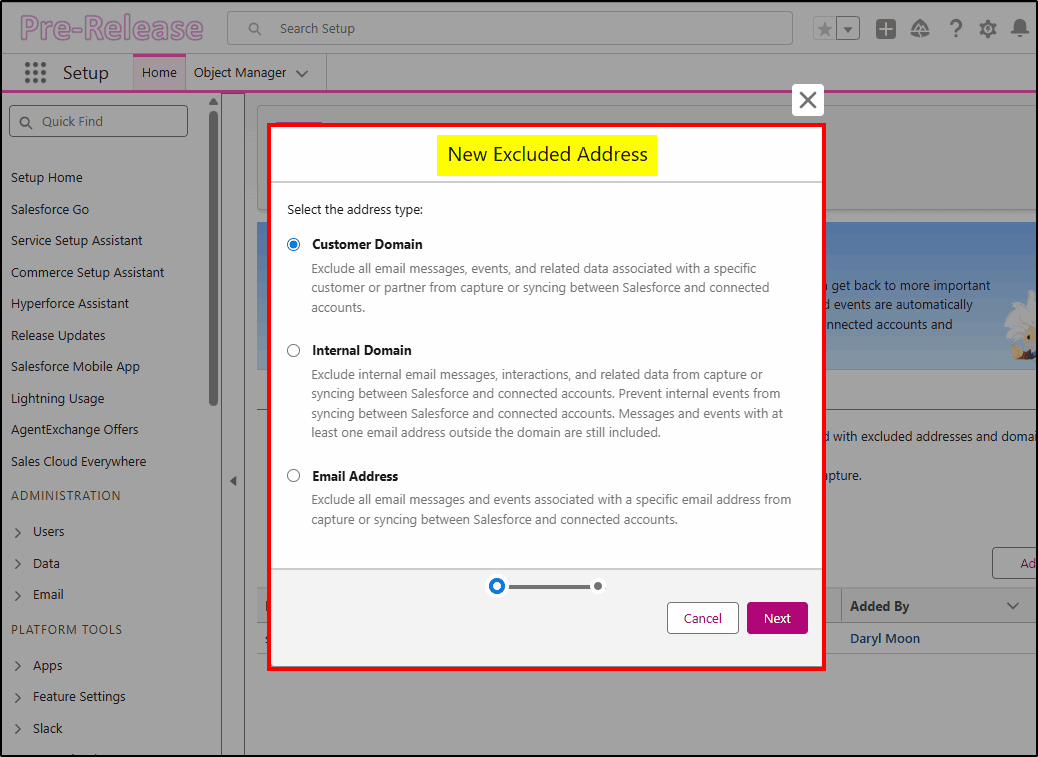
Frustrated with Einstein Activity Capture storing all your personal or confidential emails in Salesforce? You can now use keywords and AI-powered detection to exclude sensitive emails that include legal matters, private health information, and passwords. You can also add wildcard rules to exclude calendar events and emails from specific domains.
There is a long list of considerations to take into account when configuring this; details here: https://help.salesforce.com/s/articleView?id=sales.aac_add_excluded_addresses_considerations.htm&type=5
Sensitive email settings:
Excluded Addresses:
Improved Inline Editing
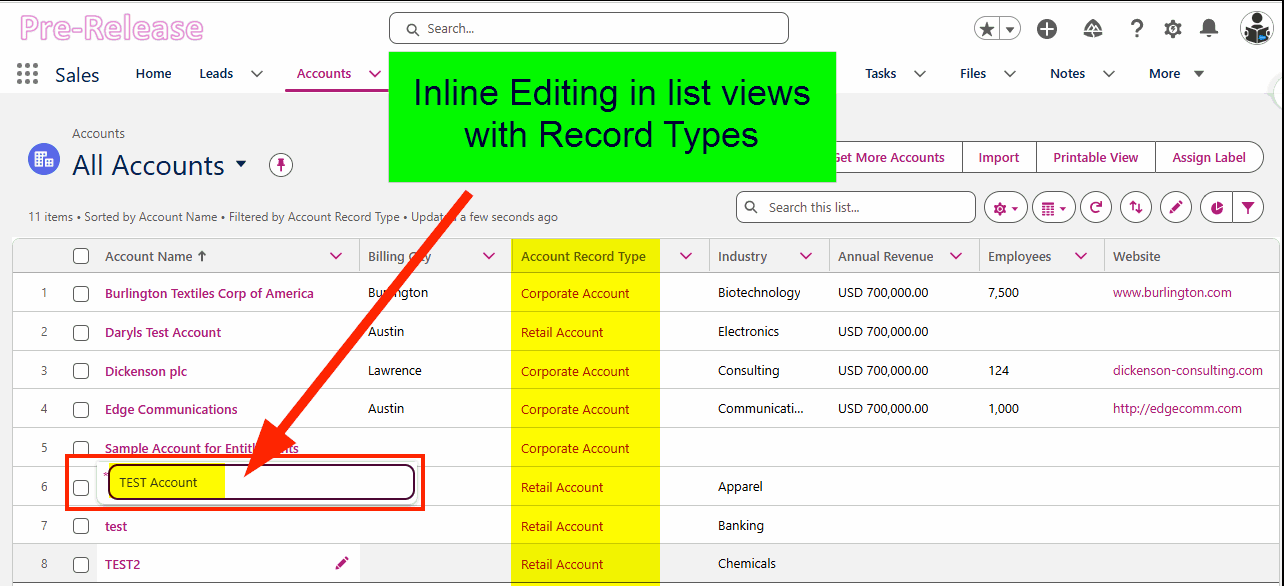
Previously, when you wanted to perform Inline Editing (editing records in a list view), they all had to have the same record type. If you had multiple Account types for Customers, Partners, and Suppliers, then you could not make edits on a list view unless it was filtered to show only one record type.
The workaround was to create one list view for each record type. Now that restriction has been lifted, and you can edit any record type in a single list view.
Dynamic Forms Upgrades
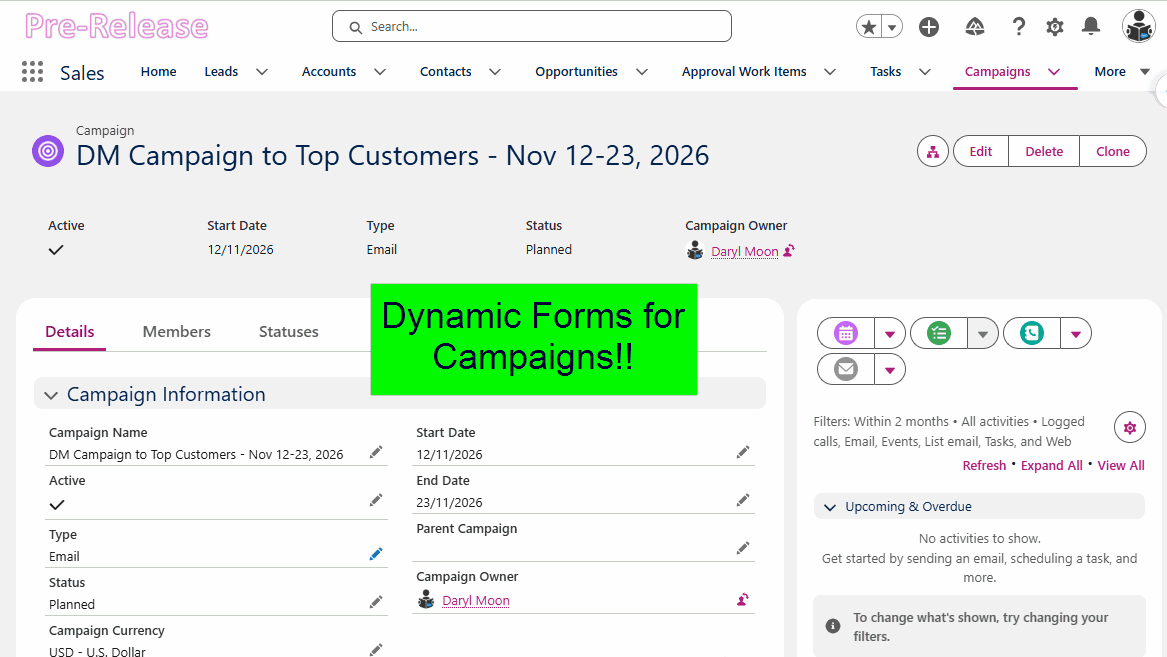
Dynamic Forms support has been expanded to include these standard objects:
- Campaigns
- Quote Line Items
- Order Products
This feature allows fields to be grouped into sections that can be collapsed or hidden, providing more screen real estate for the data that matters to you. Dynamic Highlights Panel and Dynamic Actions provide a customizable page header that dynamically changes based on record or user data and displays just the fields and buttons you need.
Opportunity Line Items and Experience Cloud are still missing support for Dynamic Forms, but it is pleasing to see some progress being made.
Accessibility Improvements
The Release Updates for Winter 27 contain several features that improve accessibility for low vision users to meet the Web Content Accessibility Guidelines (WCAG) 2.2. These include enhancements for page Headers and Modal Windows when zoomed more than 200%. Date pickers, popovers, utility bars, record headers, cards, docked containers, menu lists, panels, To Do lists, and Lightning dual list boxes have also been improved at high magnification.
Hyperforce on Google Cloud
Back in the day (pre 2020), Salesforce operated all its own data centers. As the need to expand and meet local data residency requirements intensified, they started to run the Salesforce environment on public cloud services like Amazon Web Services and Microsoft Azure. The services are still run by Salesforce, just on infrastructure owned by others.
Starting in November 2026 in North America, the Salesforce environment will also be available on the Google Cloud Platform. This expands the availability of Salesforce to customers who have regulatory or contractual requirements that preclude the use of specific cloud providers.

Admin/Developer Focused Features
The following improvements are in the Flow Builder environment, used extensively for building automations on the Salesforce platform.
Updated Theme
Salesforce Flow Builder now matches your currently active SLDS 2 theme (apart from Dark Mode). It provides increased spacing, uses an updated color palette, and has the modern look and feel of the rest of Salesforce.
Group Elements
When you start building large flows, they get hard to manage and navigate. By providing a “Grouping” function in Flow Builder, you can organize elements into related groups and then collapse them to remove the detail from the page, allowing you to concentrate on other parts of the flow.
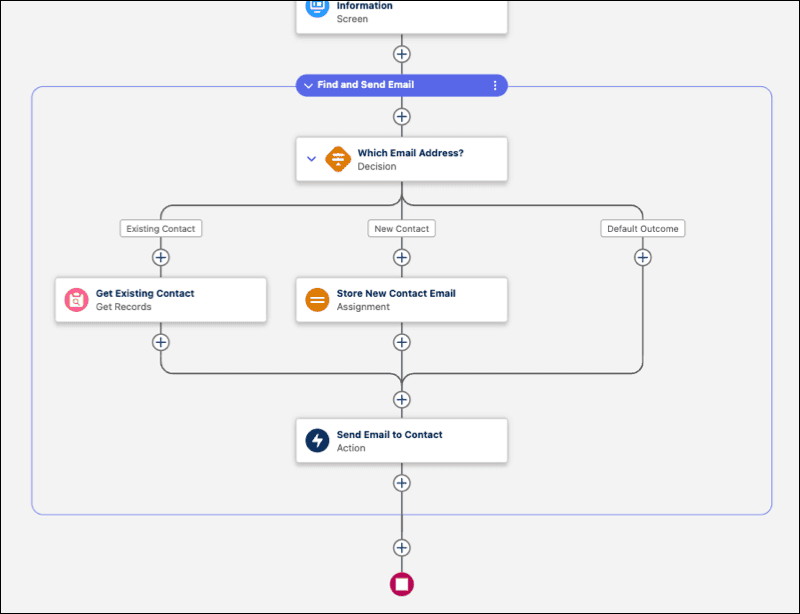
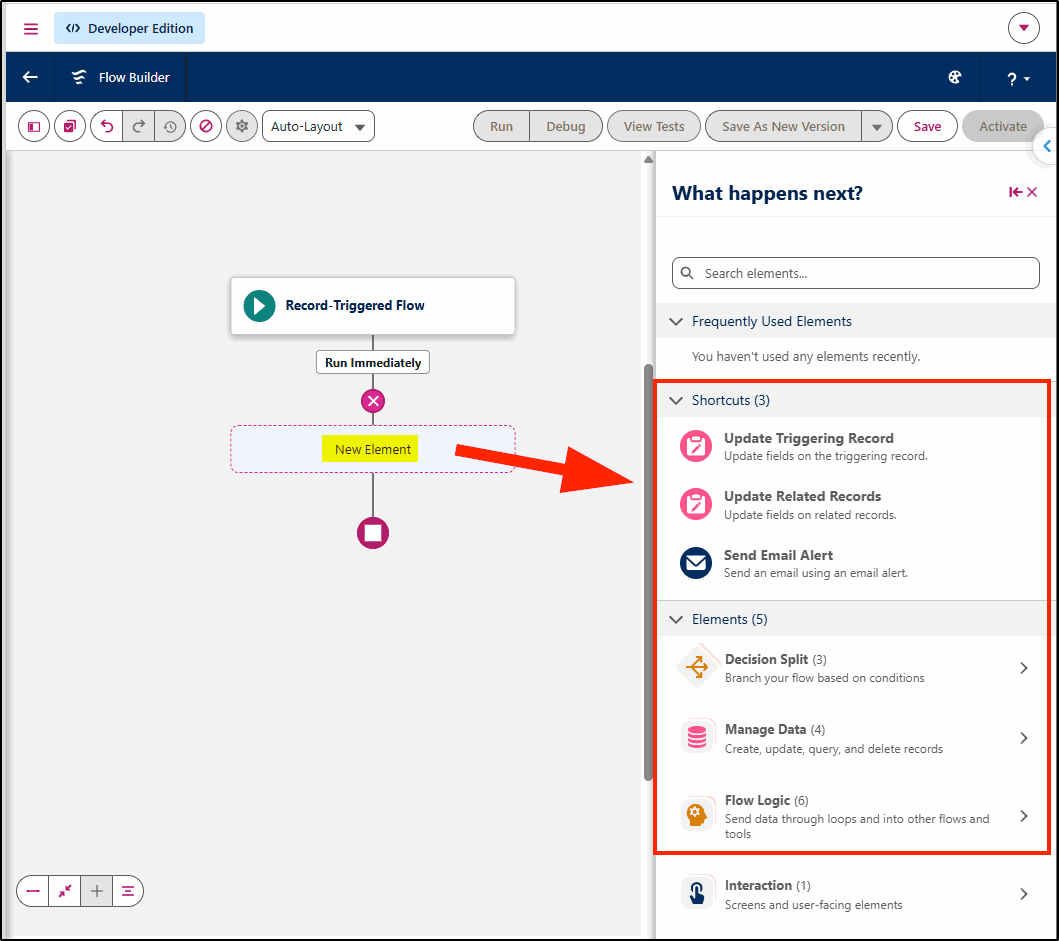
Element Selection Changes
When you are adding new elements to a flow, the choices are streamlined in a new side panel selector with functions in logical groups. This feature is currently available in Record-Triggered Flows and Scheduled Flows but not yet in Screen Flows or Autolaunched Flows.
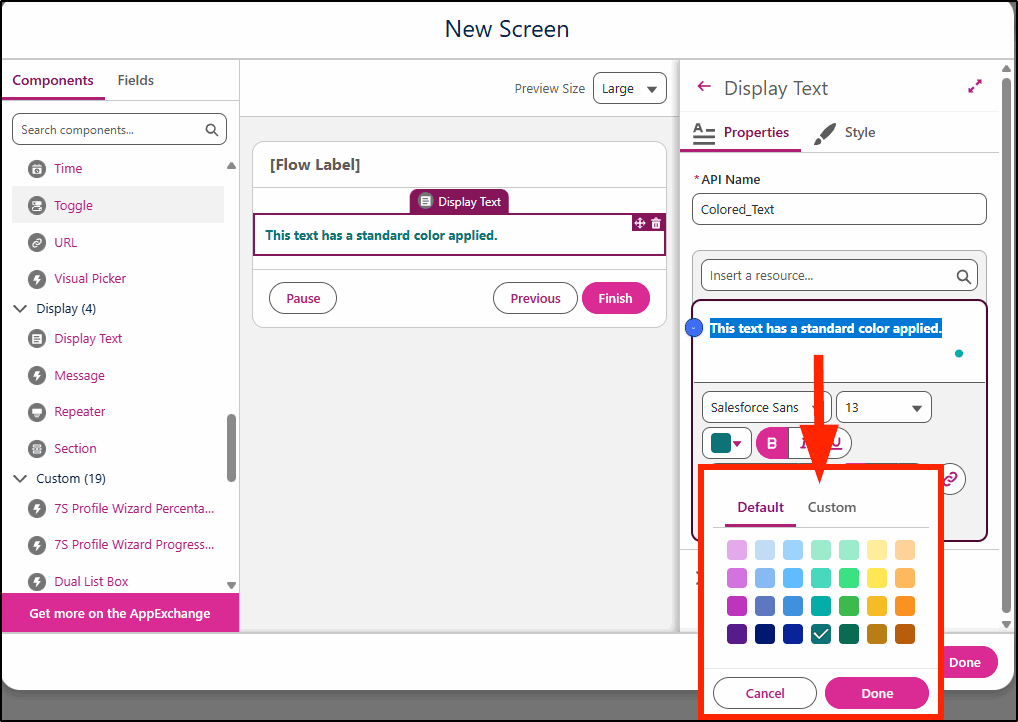
Color Picker
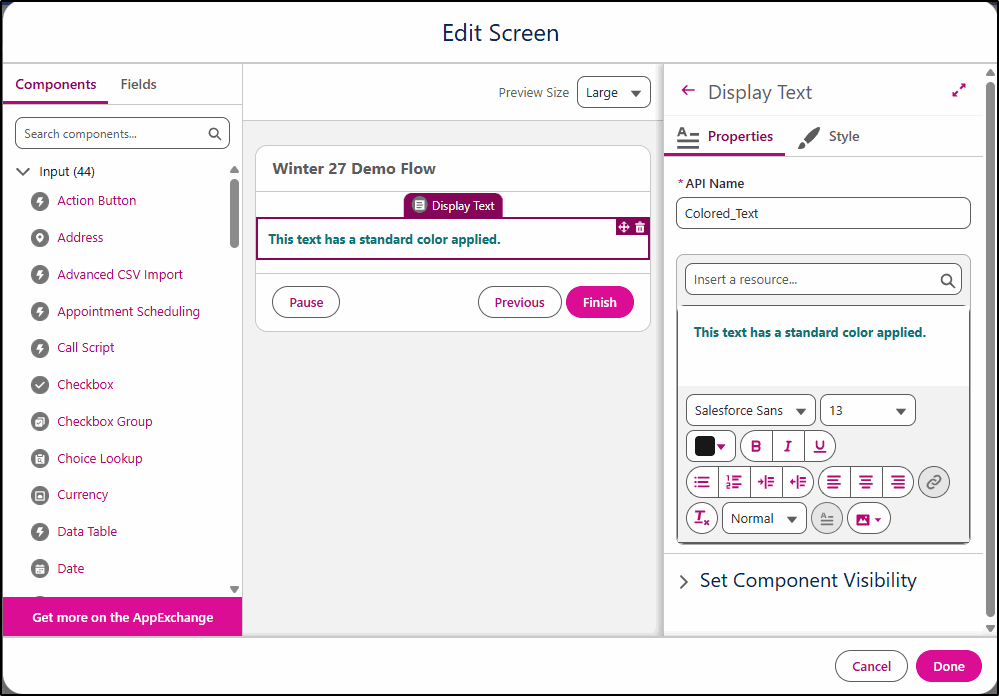
When choosing the display text, the color picker has been changed to provide a set of default colors plus the ability to add a custom color via a mini tab on the picker.
Tagging Flows
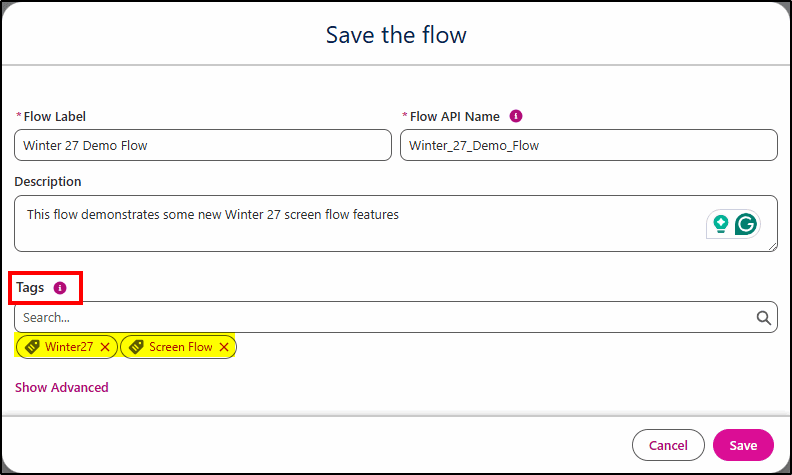
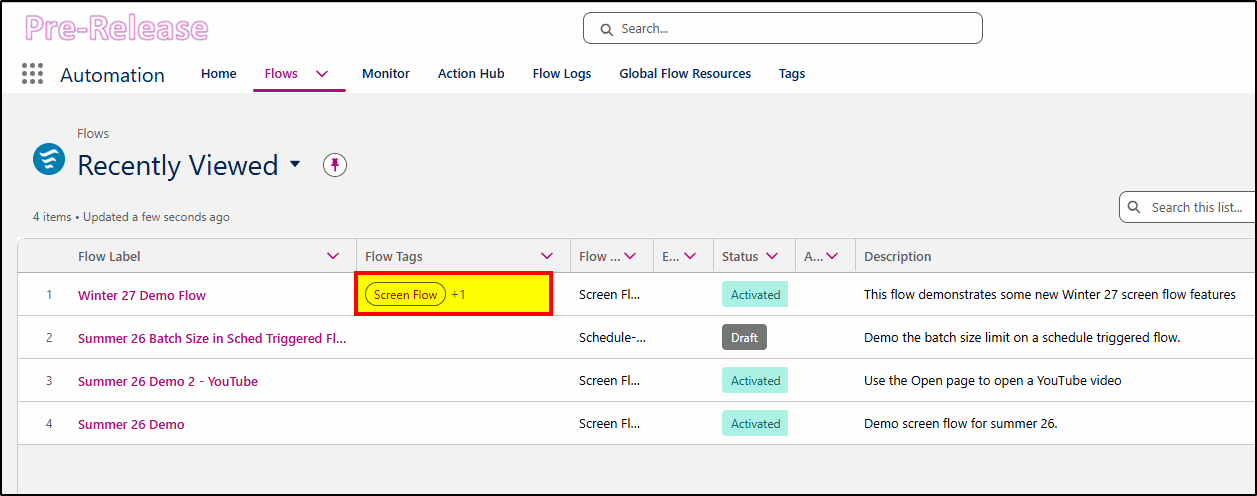
When saving flows, you can now apply tags to help group your flows. You can’t use them in the setup list views, but you can use them in the Automation App.
Apply tags when saving the flow:
When viewed in the Automation App, you can add the Flow Tags to the list of fields to be displayed…
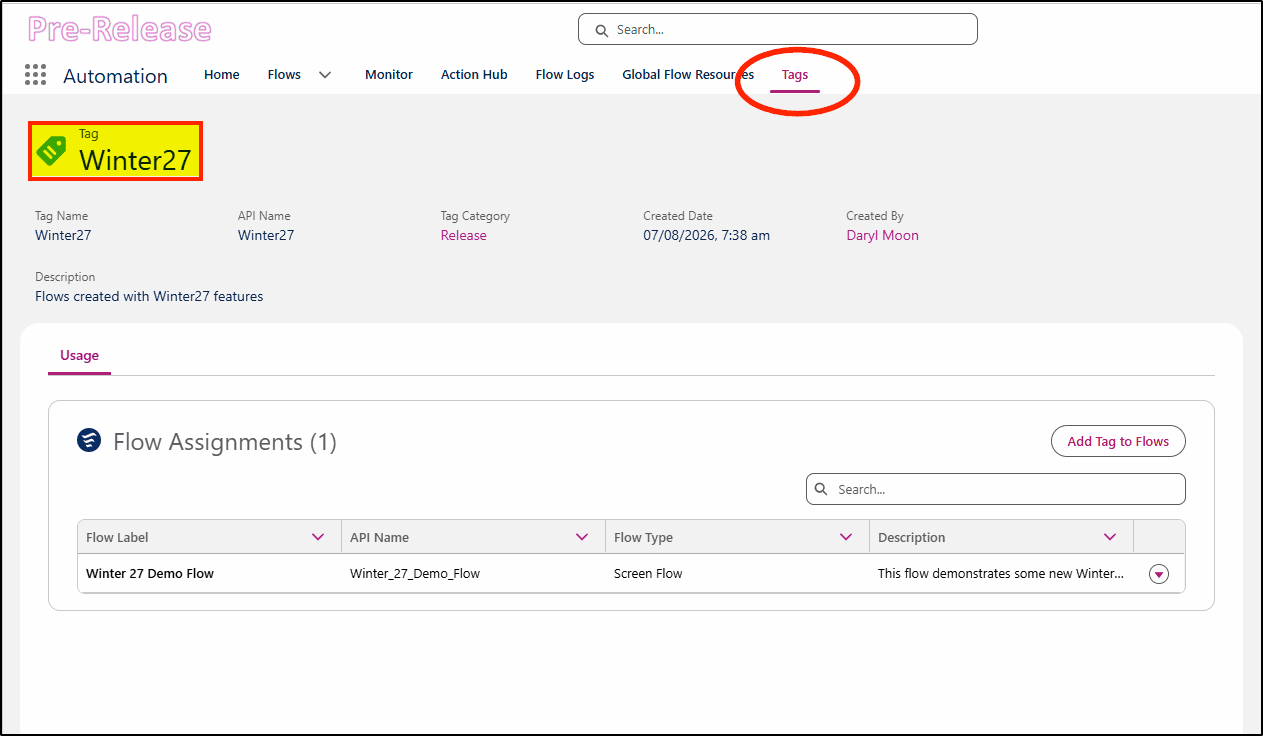
From the Tags menu item, you can see all flows that have that tag applied to them:
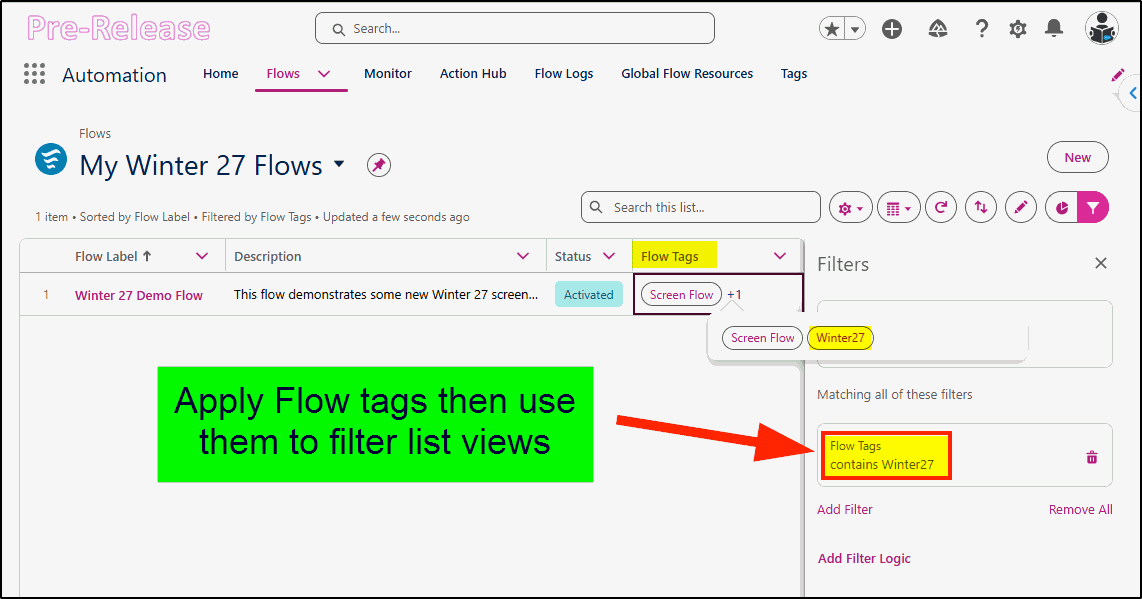
In the Flows list view in the Automation App, you can apply filters using the tags applied:
Time Component
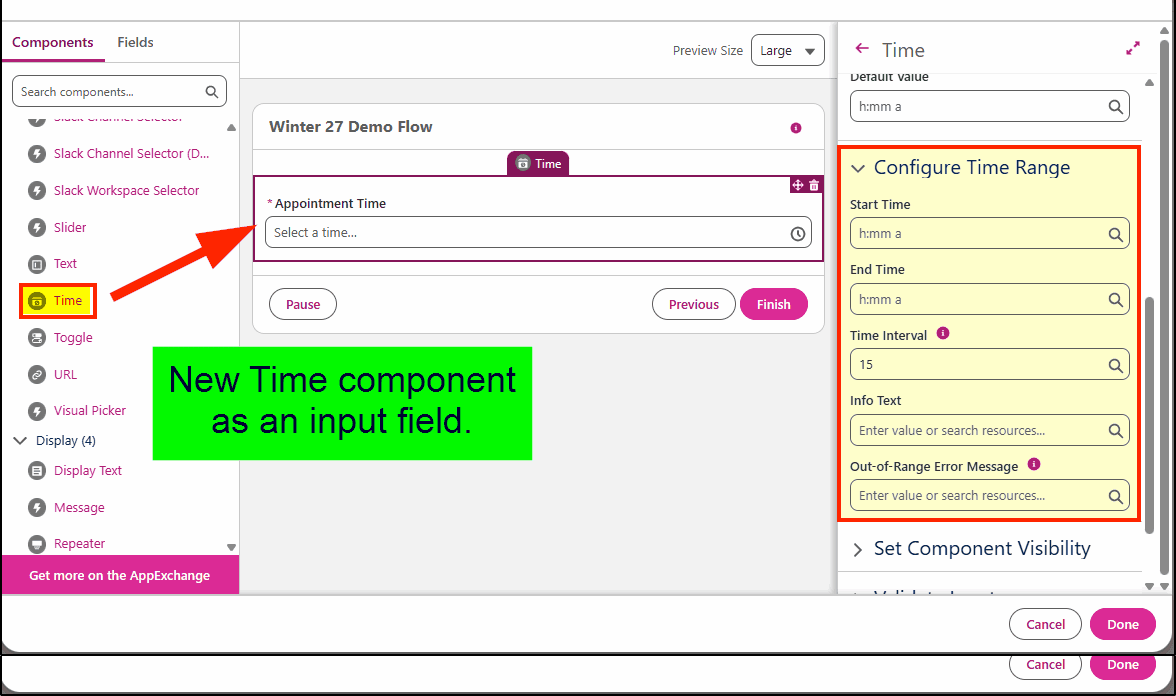
We finally have a time component as an input field for screen flows – independent of the date. You can now prompt the user to select a time with the picker, set the time intervals (eg 15 mins) and even apply a range (start time/end time) and provide a custom error message for out-of-range entries.
Two New Decision Elements
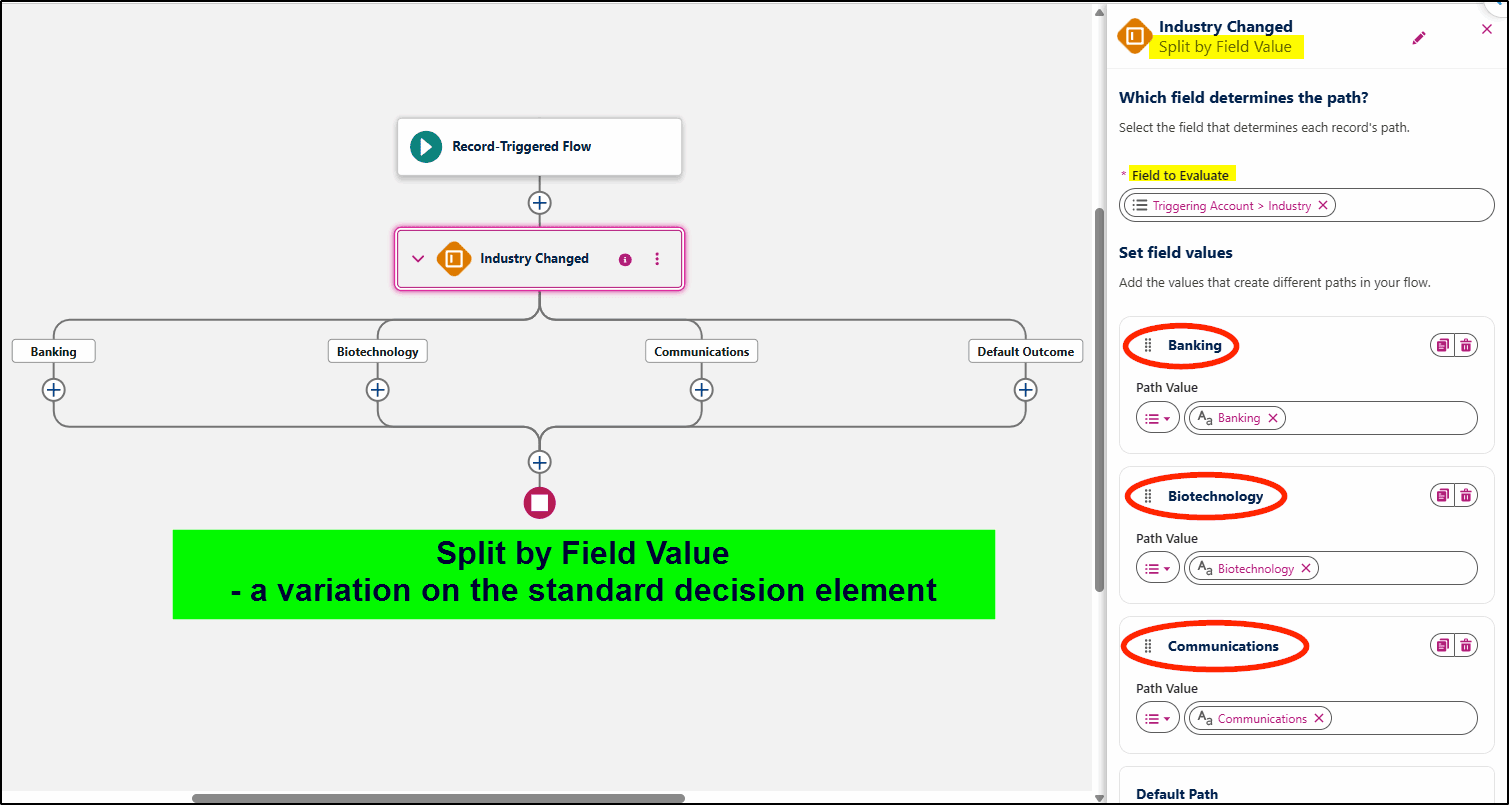
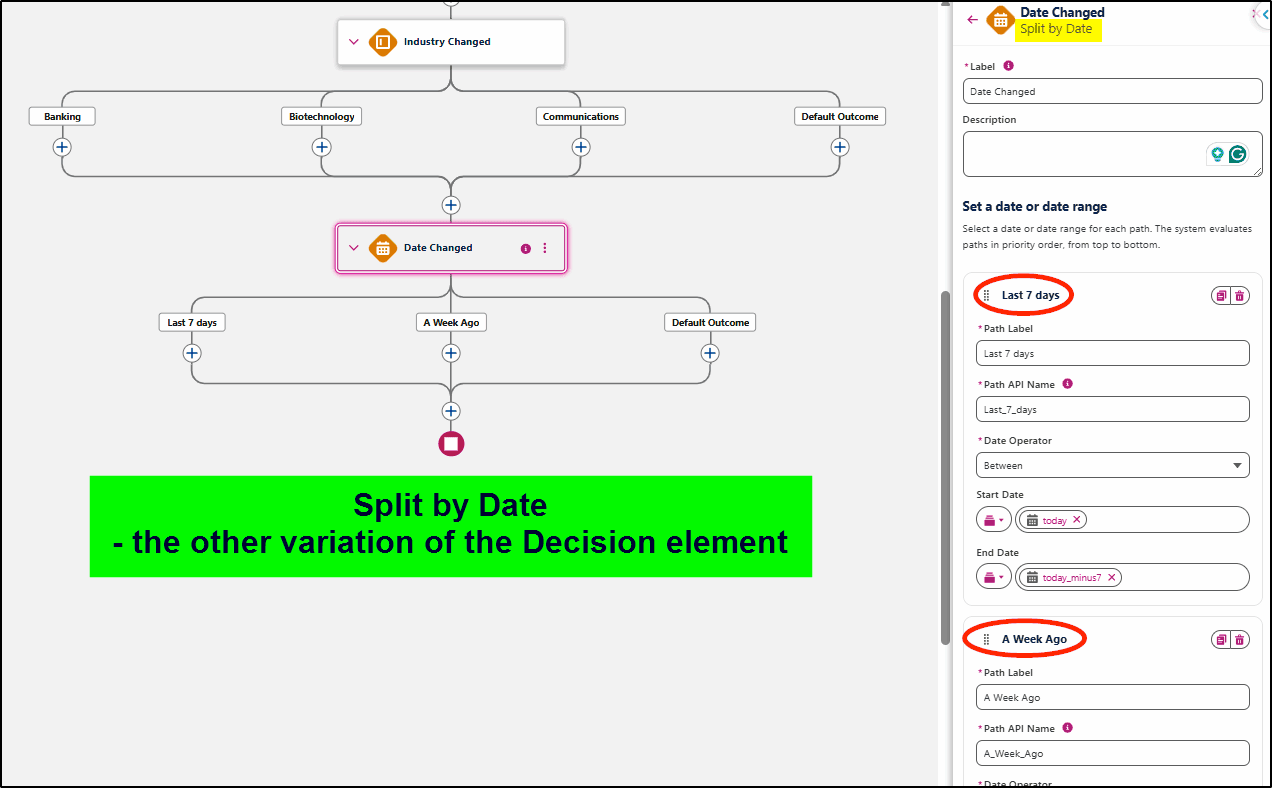
Previously there was a Decision element in Flow, and you could build your own branches manually to suit the field type you were branching on. Now there are two additional variations of this 1) Split by Field Value and 2) Split by Date. They make the creation of the branches much simpler.
With the Split by Date element, you can use operators including BEFORE, BETWEEN, AFTER, or IS ON, and you can select a date from the date picker or use a resource like a custom formula as I have done below for “today” and “today_minus7” to create your own relative dates.
The original decision element remains available and is unchanged.
Flow Testing
There’s a new (beta) Flow Test feature coming in Salesforce Winter ’27. Enable the feature in Process Automations first. Currently only available for Record Triggered and Autolaunched Flows.
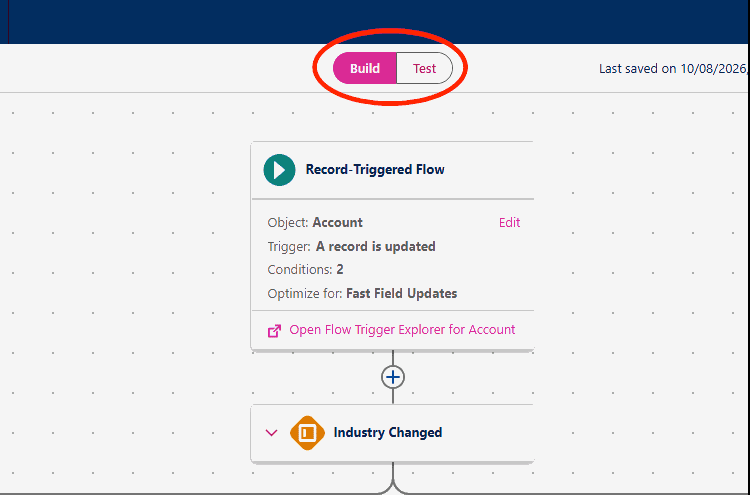
Has a grid dot pattern on the background and a Build/Test toggle at the top of the page. Build your flow using the build setting, debug and test using the test setting.
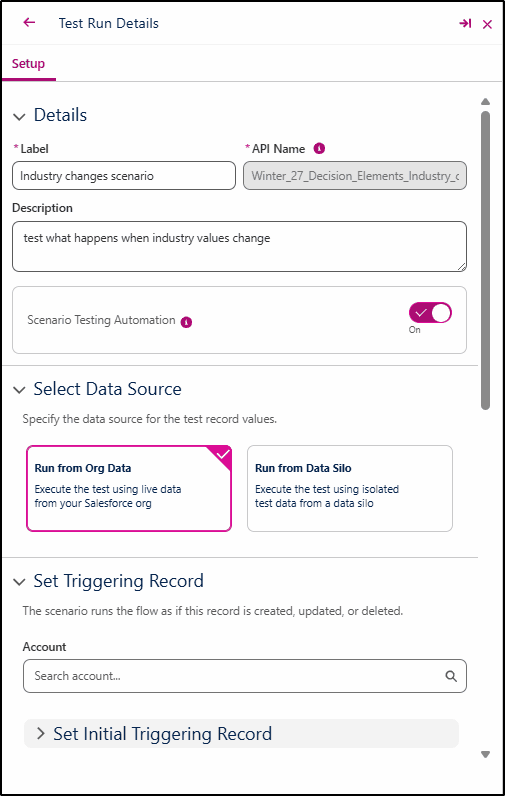
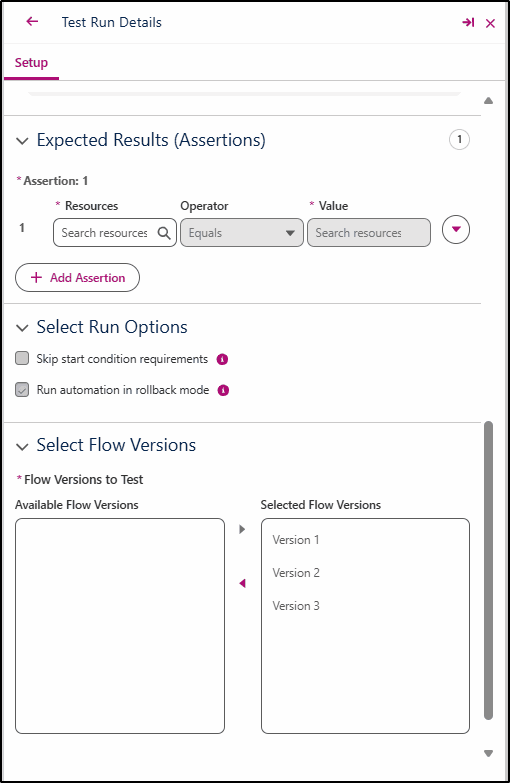
You can create test scenarios that can be reused to automate testing with assertions, isolated data, and versioning. You can choose to run the tests with data from your org or from a Data Silo (created with Apex test methods). It also provides an indicator of test coverage, something that developers have criticized Flow as lacking.
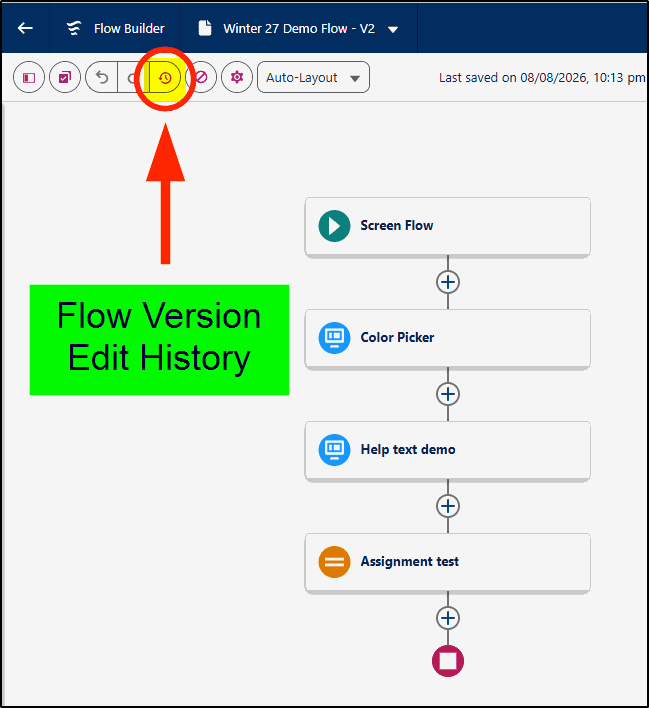
Flow Version History
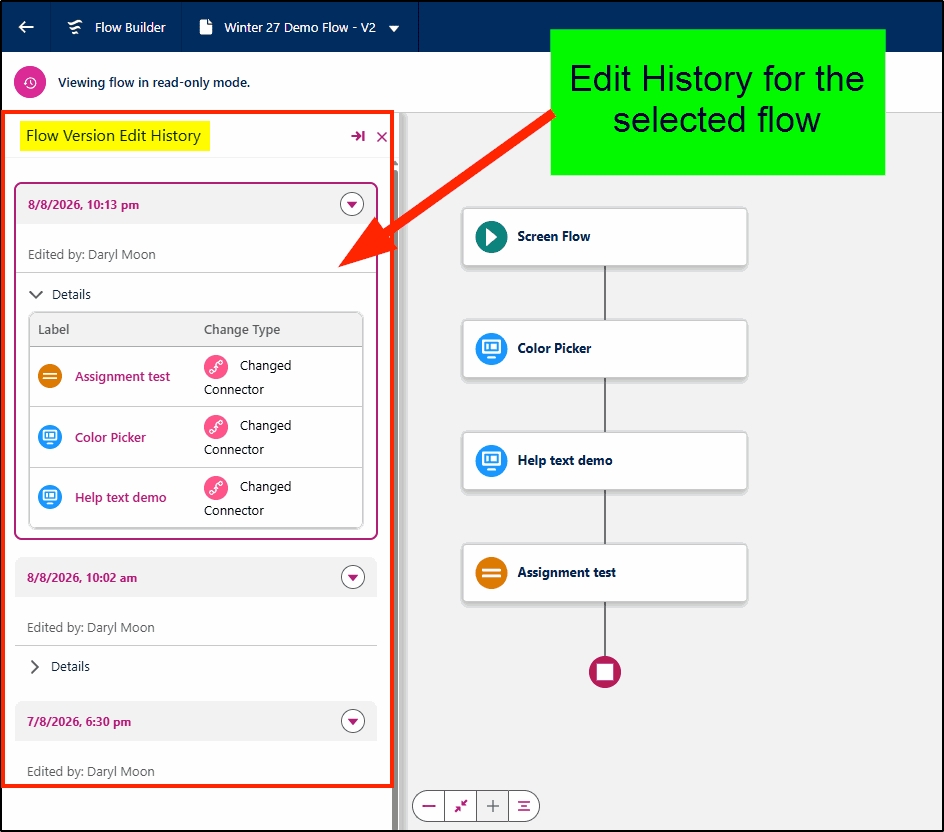
Comparing changes made to a flow just got a whole lot easier with the new Flow Version Edit History feature. Clicking the icon shown here takes you to a read-only version of the flow where you can view a history of edits and drill into each one for greater details of exactly what was changed.
View all changes and drill down into the details.
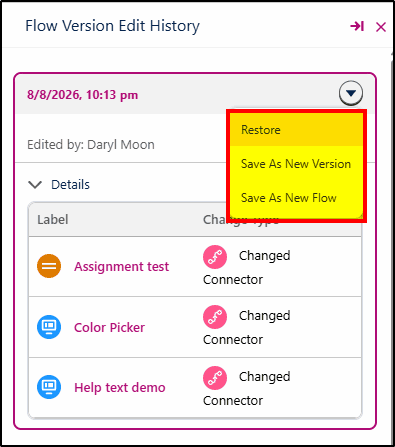
You can even restore the version, create a new version, or a new flow.
At KeyNode Solutions, a leading San Diego Salesforce Partner, we want to keep our visitors and clients up to date with the latest information. If you have any questions about features in this release, contact us at hello@keynodesolutions.com or call us at 1-858-215-5371.
About the Author
 Daryl Moon brings over 40 years of experience across consulting, technical, management, and training roles in government and the private sector. He combines deep theoretical knowledge with practical, hands-on expertise.
A Salesforce professional with nine certifications and more than 1,100 Trailhead badges, Daryl continues to design and deliver Salesforce training through CertifyCRM.com. He is an active contributor to the Salesforce ecosystem, regularly presenting at user groups, virtual conferences and within the Trailblazer Community. You can learn more about Daryl at https://www.linkedin.com/in/daryl-moon/.
 KeyNode Solutions is a full-service 100% US-based Salesforce Consulting Partner company. Combining experience, business acumen and AI power, we deliver the ultimate Salesforce solutions to grow your business: implementation, integration, customization and development. Our best-in-class, customizable Salesforce Managed Services are available nationwide.
KeyNode Solutions Announces AI Solutions for Salesforce
AI is everywhere. Making it work in Salesforce is another story.Today we're announcing our AI Solutions for Salesforce: Digital Employees and AI-powered workflows that work inside the Salesforce org you already use.For SMB and mid-market [...]

Salesforce Winter ’27 – The Top Features
The next Salesforce release is fast approaching, with releases being scheduled on Sept 4, Oct 2nd and Oct 9th. Being the release just before Dreamforce, it’s jam-packed with lots of great new features. Once [...]

Salesforce Summer ’26 – The Top Features
The next Salesforce release is coming soon, with releases being scheduled on June 5, 12, and 13th. This release is packed with lots of great new features and still contains a heavy emphasis on [...]

How Salesforce Service Cloud Transforms Customer Support Operations
Customer expectations have never been higher. Today’s customers demand fast responses, personalized interactions and consistent service across every channel. Organizations that rely on disconnected systems and manual processes struggle to keep up. To stay [...]
Measuring & Improving Customer Support Performance with Salesforce Analytics
Customer support leaders face increasing pressure to deliver faster service, higher satisfaction and consistent performance across teams. Without accurate data and real time visibility, it becomes difficult to identify gaps, manage workloads and drive [...]

Using Salesforce to Deliver Omnichannel Customer Support at Scale
In today’s connected world, customers expect fast and consistent support across every channel. Whether they reach out through email, phone, chat, social media or self service portals, they want seamless interactions without repeating information. [...]