

With Dreamforce looming, another Salesforce release jam-packed full of great features is almost ready with the Winter ’26 release due on September 19th, or the weekends of October 3rd and 10th. The actual release is staggered over several weekends, and the exact date for your instance can be found by visiting status.salesforce.com, entering your instance name, and checking the maintenance tab.

List View Sorting
The ability to sort list views using multiple fields has been a much-wanted feature for many years. After a successful beta trial, this feature is now Generally Available in the Winter ‘26 release.
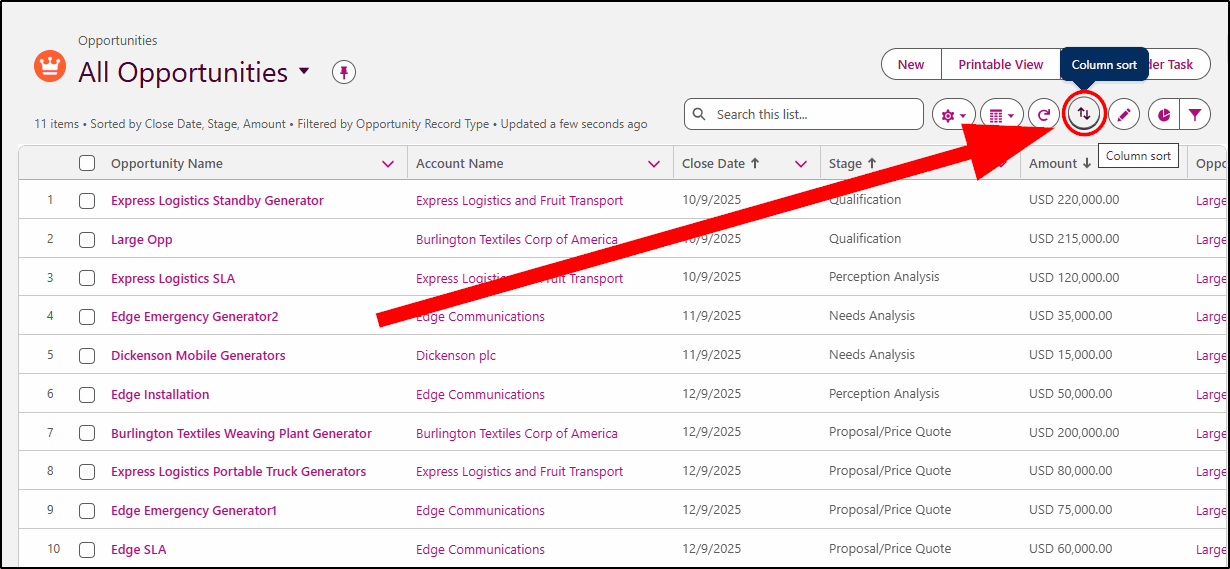
Note: It’s not available on every object just yet, so look for the Column sort icon on list views as shown below:
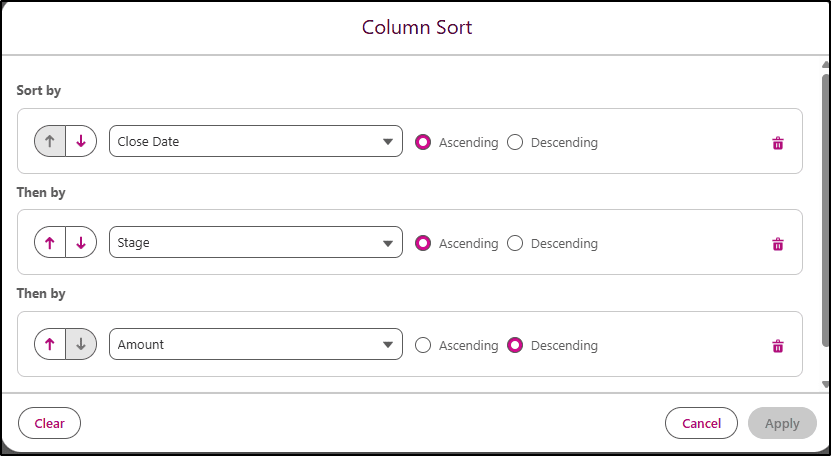
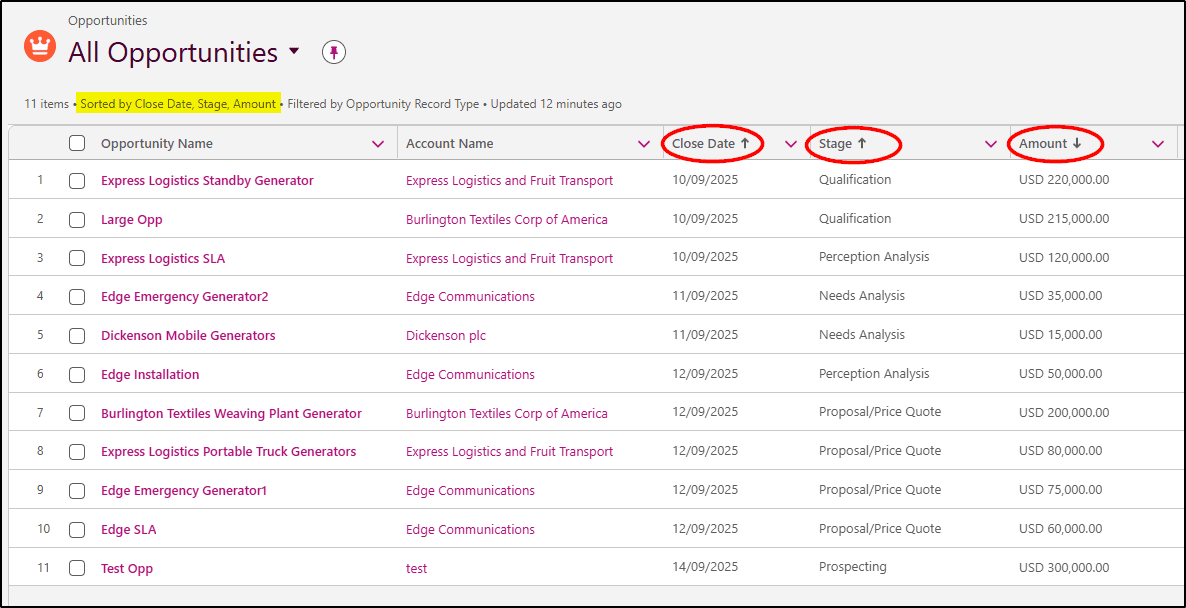
Sales reps working on opportunities can now sort them by Close Date, Stage, and Amount to provide better work guidance. Up to 5 columns can be selected with a mix of ascending or descending sort order on each column. The sort order is also displayed in the list view header.
Field History Tracking
Field History Tracking is the feature that provides a log of changes made to a record and is shown on the “History” related list for a record. Configuring this has now been made much simpler. Instead of having to edit each object, there is a new feature under Setup -> Field History Tracking that will allow you to select and configure fields to track on all objects in one place. This will be a huge time saver!
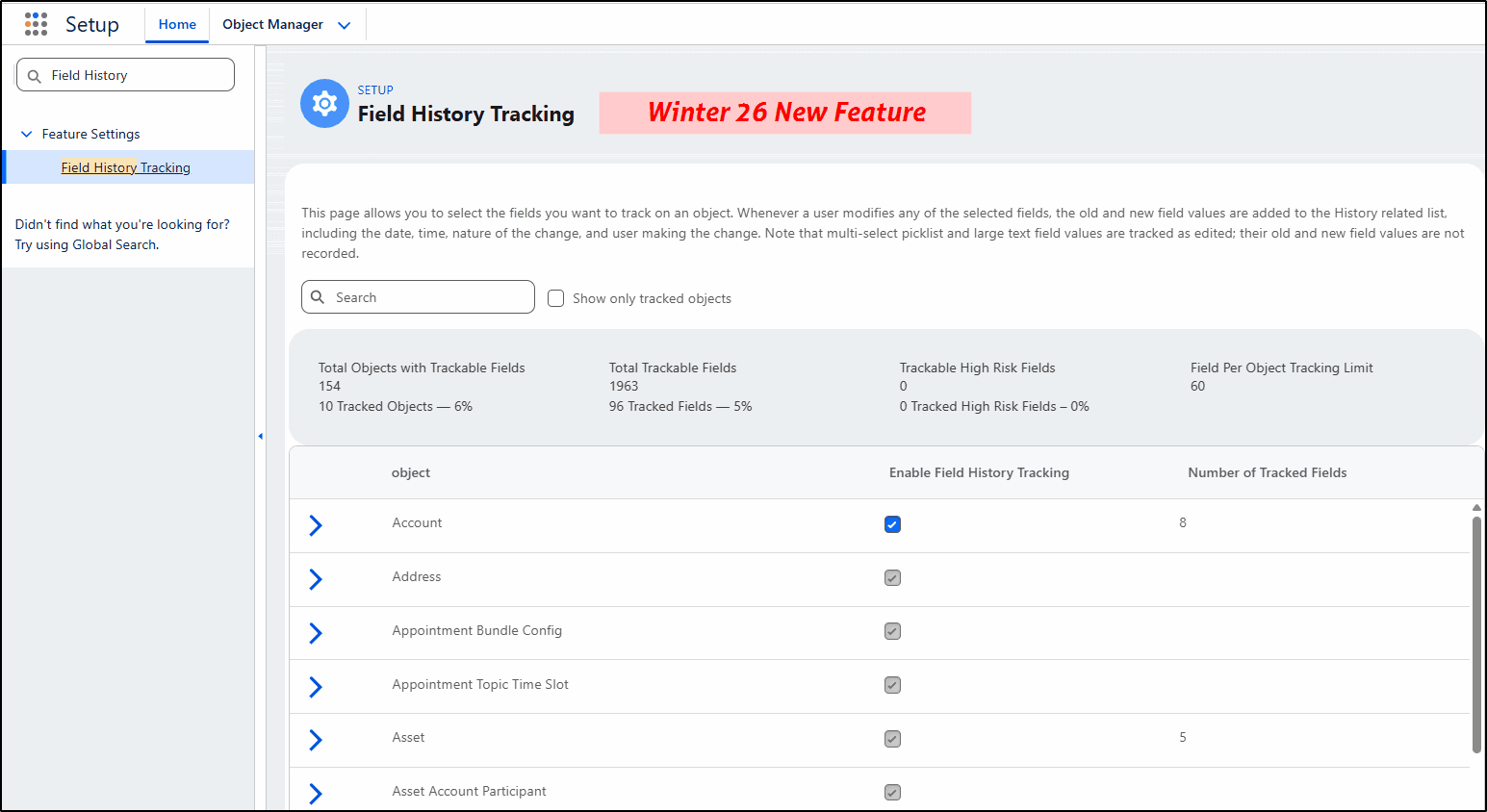
Once you have selected the desired object, you can choose up to 20 fields per object to track the changes.
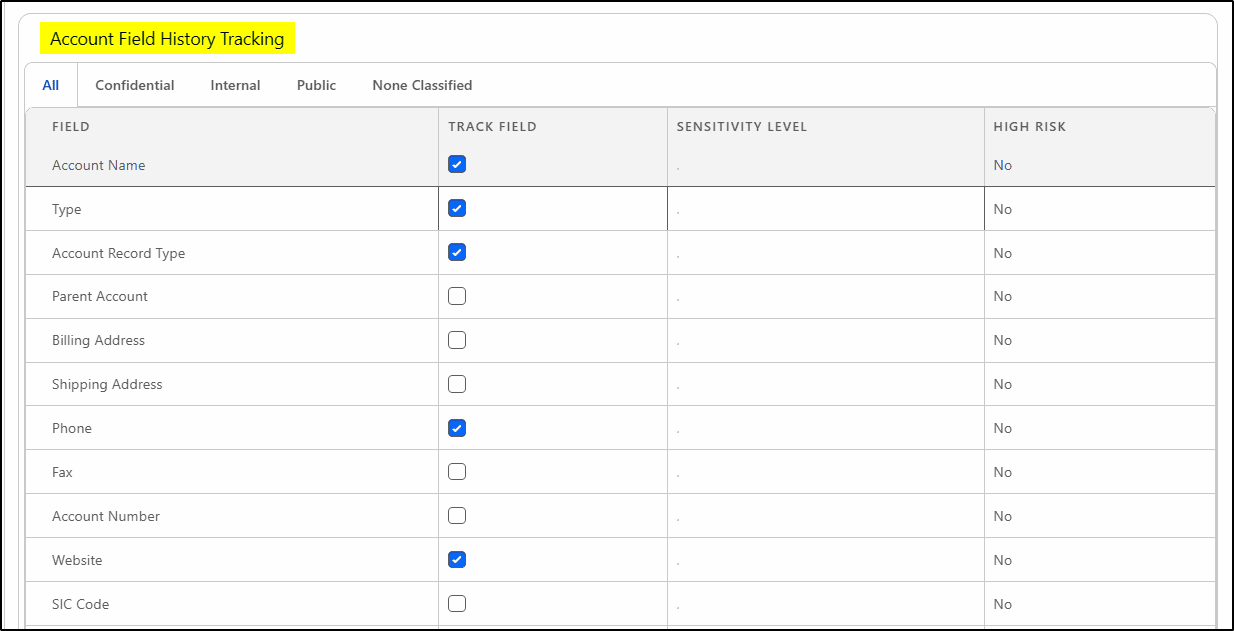
Salesforce Go
Salesforce Go is the revamped setup home page where you can explore and set up features you already own, track their usage, and discover new products. It has been enhanced to include more cloud environments and includes training resources to help set up features. Where features have prerequisites, these are automatically enabled too.
Enhanced Case Descriptions
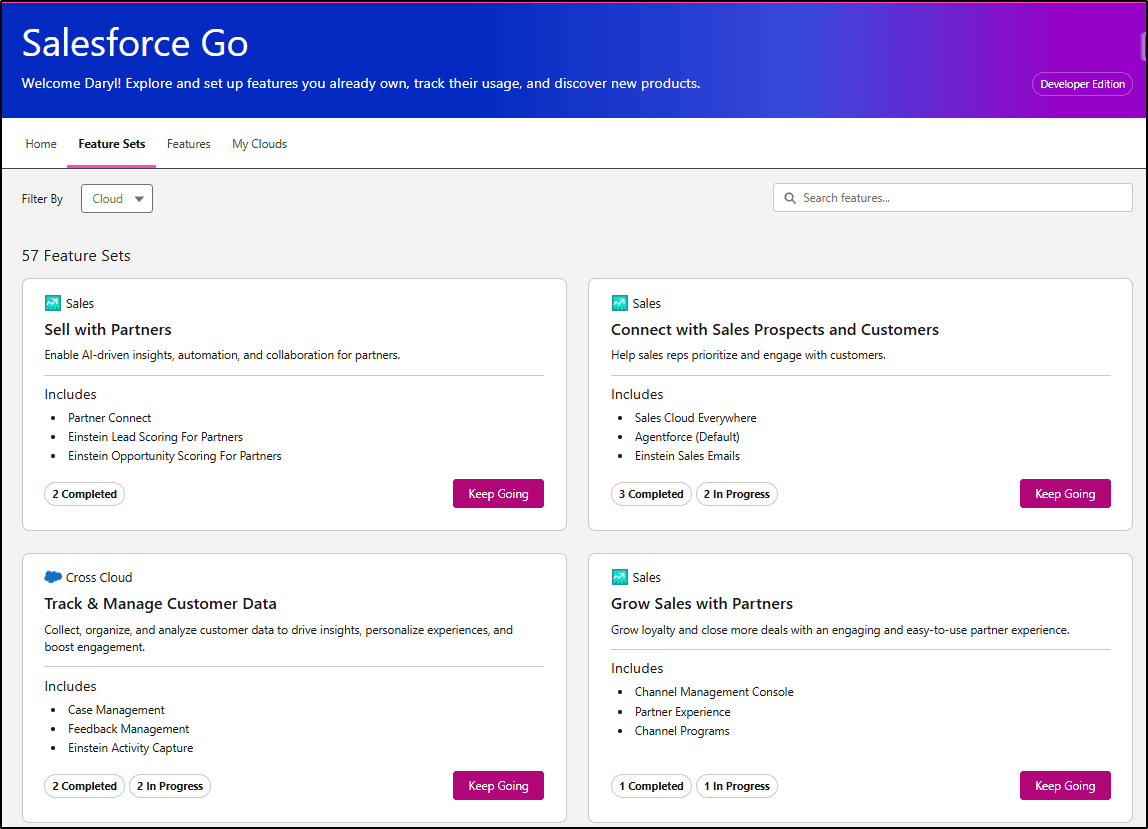
In Service Cloud, you can ensure customer information is captured accurately in the first interaction by enabling rich text formatting, images, and media in case descriptions.
This will help reduce average handling time and improve the overall case resolution process.
Note: This is a beta feature, not Generally Available in this release.
Easier SLA Setup
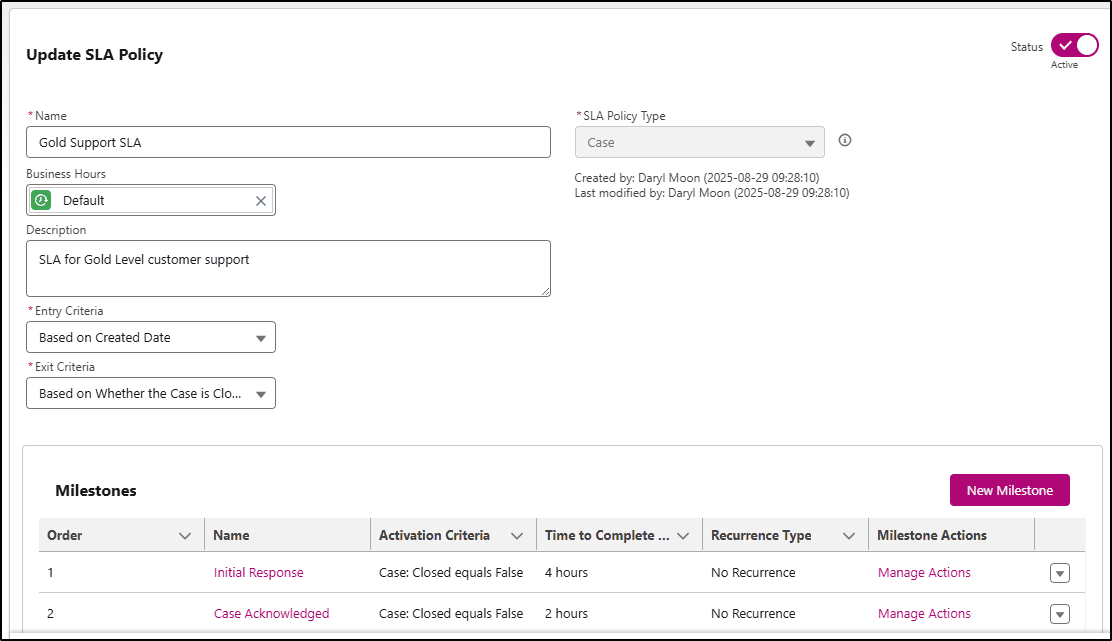
Entitlement Management in Service Cloud is now known as SLA Management, and there is a simpler interface to configure SLA Policies (formerly Entitlement Processes). This new configuration can be applied to both Cases and Work Orders.
Comparing Flows
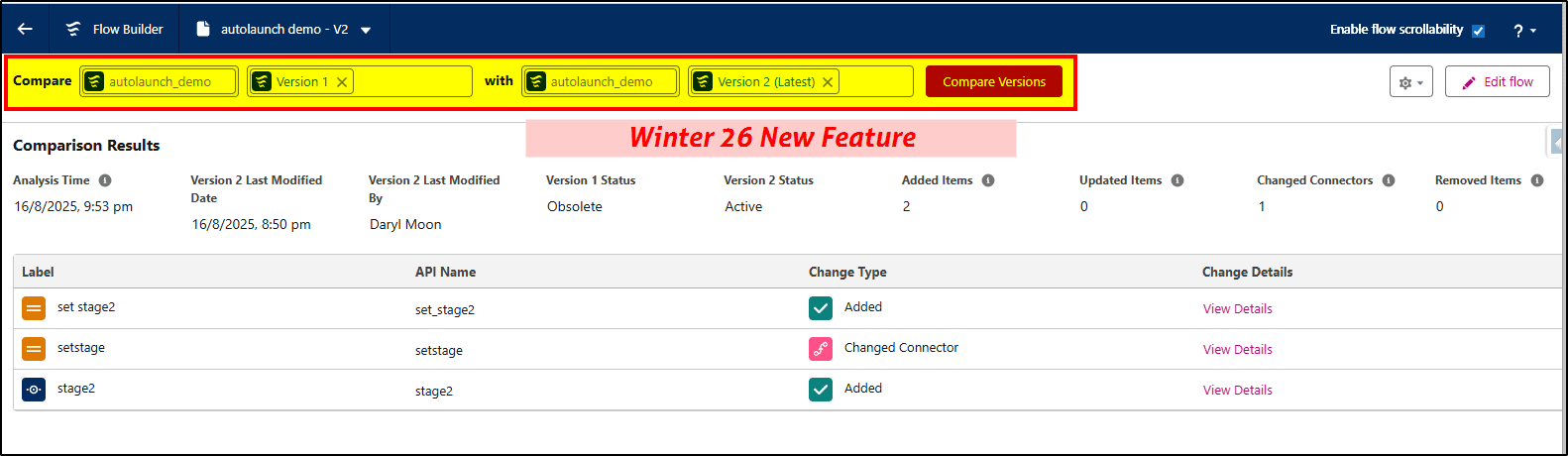
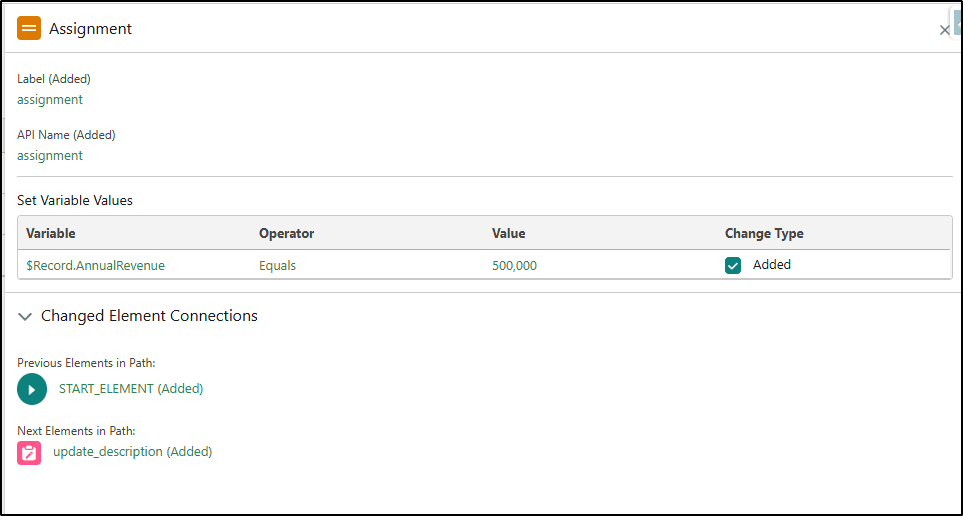
In the Salesforce Winter ‘26 release, you will have a Flow Comparison feature to allow you to select and compare two flows side-by-side. Supported flow types include Record Triggered, Scheduled, and Auto Launched flows. Screen flows are not yet supported.
Improved Flow Debugging
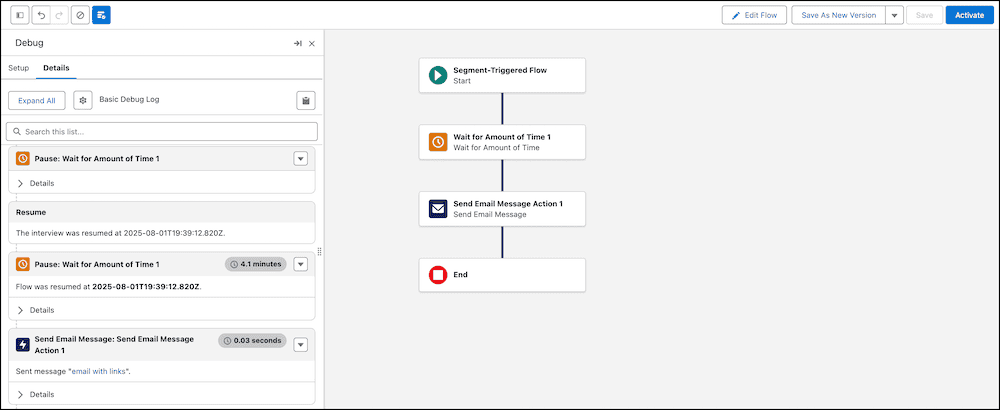
Flow debugging has received a huge makeover in the Winter ‘26 release. The debug panel now opens in the flow builder screen, but on the left side, allowing space on the right to display the configuration details for the currently selected element. Shortcuts on the debug cards provide a quick way to navigate to the relevant element. This new experience will also be available on screen flows.
Styles Improve Flow Display Text
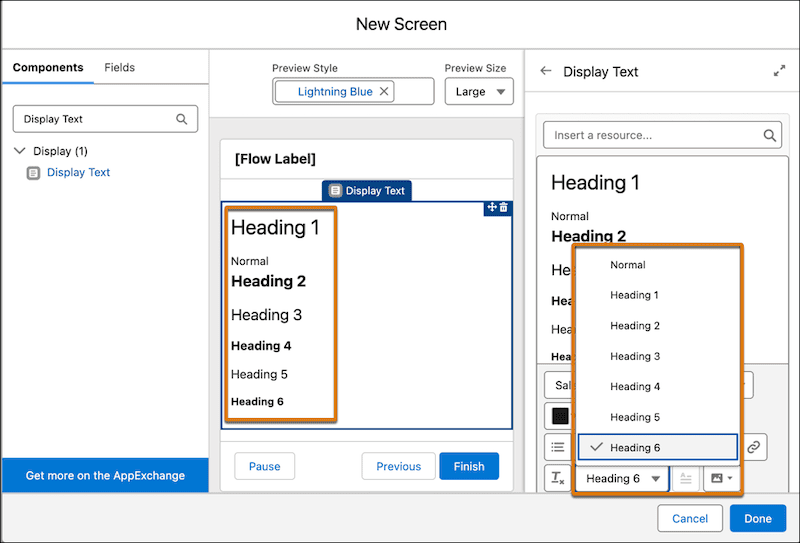
Make Text in Display Text Components More Readable and Accessible. In Screen flows, you can make your text more readable and accessible by applying standard heading and paragraph styles.
Not only does this make it more readable, but it also improves accessibility by allowing screen readers to jump between headings, not having to listen to every word.
Theme Picker for Screen Flows
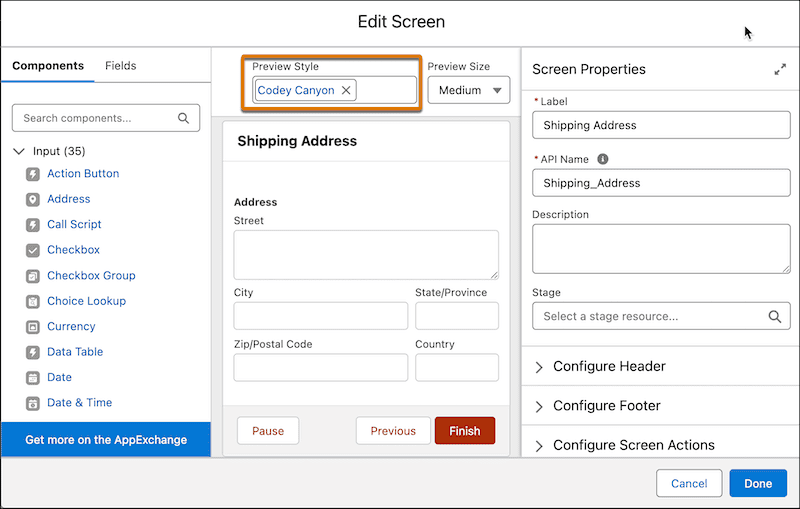
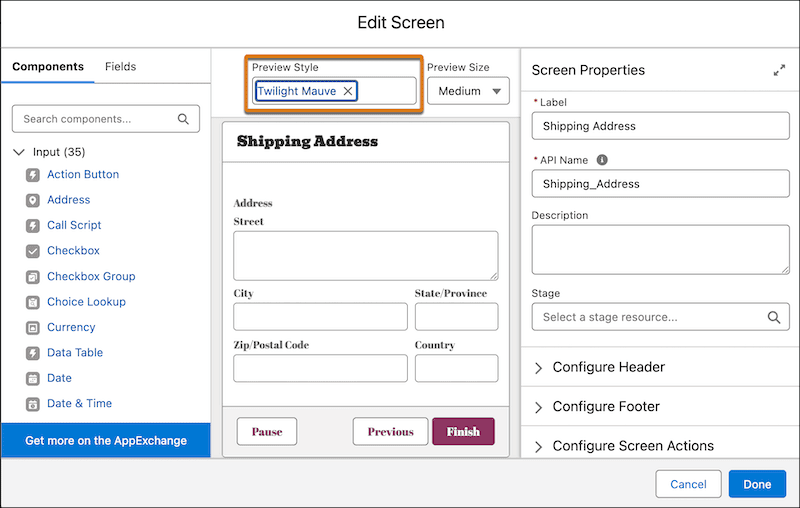
You can now see how your screen flow looks with Lightning or Experience Cloud site branding. Using the Preview Style feature ensures your flows look and feel the same as your apps and other pages, regardless of the environment they are used in.
Here’s an example of how a screen looks with a Lightning theme.
Here’s an example of how a screen looks with an Experience Cloud site’s style settings.
Get Related Records with Nested Loops (Beta)
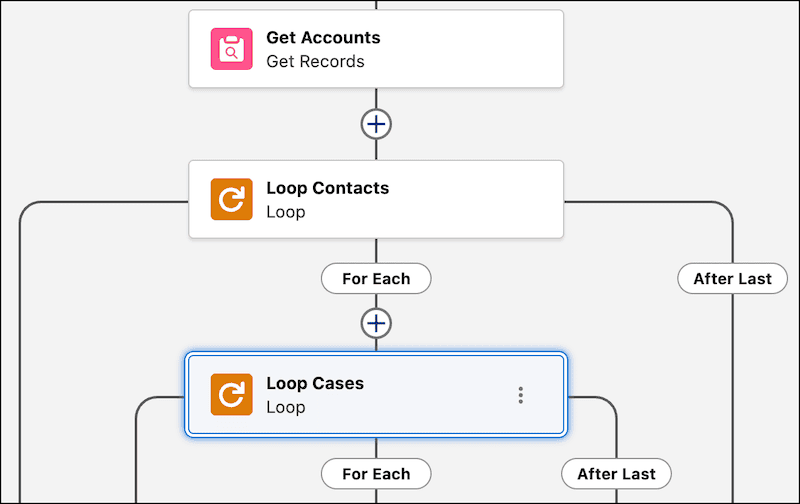
A new (beta) feature extends Get Related Records and allows for nested loops of related records. For example, get related records for an account, all related team members, and their related cases. With nested loops, you can iterate through each team member, and then for each team member, iterate through all their related cases.
At KeyNode Solutions, a leading San Diego Salesforce Consulting Partner, we want to keep our website visitors and clients up to date with the latest information. If you have any questions about features in this release, contact us at hello@keynodesolutions.com or call us at 1-858-215-5371.
About the Author
 Daryl Moon brings over 40 years of experience across consulting, technical, management, and training roles in government and the private sector. He combines deep theoretical knowledge with practical, hands-on expertise.
A Salesforce professional with nine certifications and more than 1,100 Trailhead badges, Daryl continues to design and deliver Salesforce training through CertifyCRM.com. He is an active contributor to the Salesforce ecosystem, regularly presenting at user groups, virtual conferences and within the Trailblazer Community. You can learn more about Daryl at https://www.linkedin.com/in/daryl-moon/.
 KeyNode Solutions is a full-service Salesforce Consulting Partner company. We deliver the ultimate Salesforce solutions to grow your business: implementation, integration, customization, and development. Our best-in-class Salesforce managed services for ongoing support available nationwide.

Salesforce Winter ’27 – The Top Features
The next Salesforce release is fast approaching, with releases being scheduled on Sept 4, Oct 2nd and Oct 9th. Being the release just before Dreamforce, it’s jam-packed with lots of great new features. Once [...]

Salesforce Summer ’26 – The Top Features
The next Salesforce release is coming soon, with releases being scheduled on June 5, 12, and 13th. This release is packed with lots of great new features and still contains a heavy emphasis on [...]

How Salesforce Service Cloud Transforms Customer Support Operations
Customer expectations have never been higher. Today’s customers demand fast responses, personalized interactions and consistent service across every channel. Organizations that rely on disconnected systems and manual processes struggle to keep up. To stay [...]
Measuring & Improving Customer Support Performance with Salesforce Analytics
Customer support leaders face increasing pressure to deliver faster service, higher satisfaction and consistent performance across teams. Without accurate data and real time visibility, it becomes difficult to identify gaps, manage workloads and drive [...]

Using Salesforce to Deliver Omnichannel Customer Support at Scale
In today’s connected world, customers expect fast and consistent support across every channel. Whether they reach out through email, phone, chat, social media or self service portals, they want seamless interactions without repeating information. [...]

How Salesforce Automation and AI Reduce Support Response Times
Fast response times are critical to delivering exceptional customer service. In a digital first environment, customers expect immediate answers and seamless interactions across every touchpoint. Long wait times and delayed resolutions can quickly erode [...]