


The next Salesforce release is just around the corner, with releases being scheduled on January 16, February 13, and February 20th, 2026. Once again, it’s jam-packed with lots of great new features and a heavy emphasis on Artificial Intelligence. Even without the AI features, there’s something here for everyone.
Flow Styling
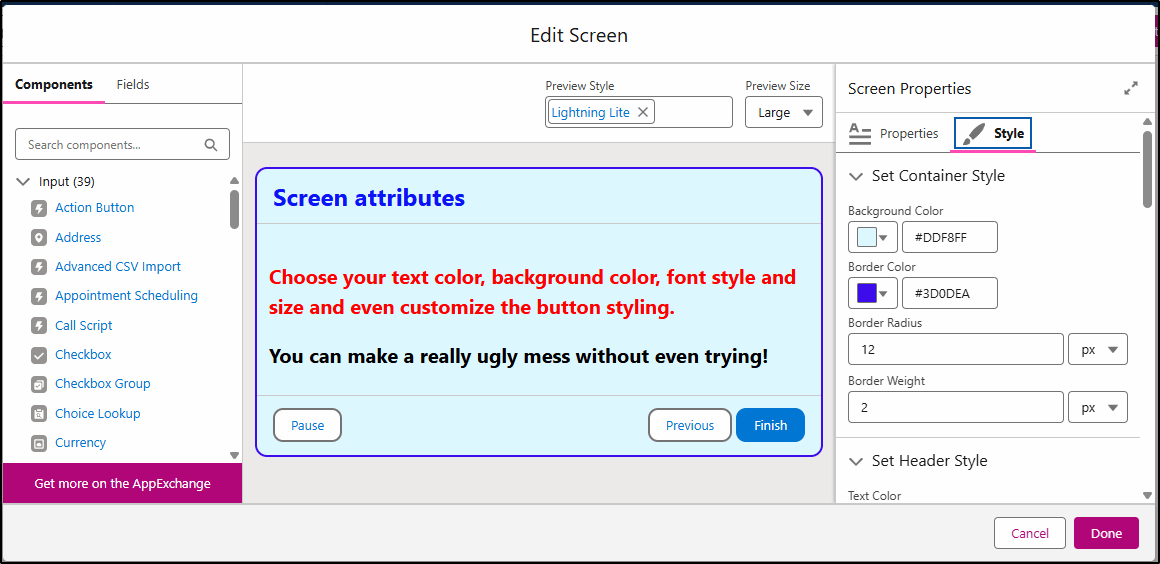
In Spring ’26, you can start to apply more styling to screen flow automations. Customize the background, border color, border radius, font type, size, and color, and adjust the shape of the Next, Previous, and Pause buttons. You can also apply attributes to the buttons when you hover over them or select them, too. Use these features to apply your corporate colors and styles to screen flow automations.
Kanban Board
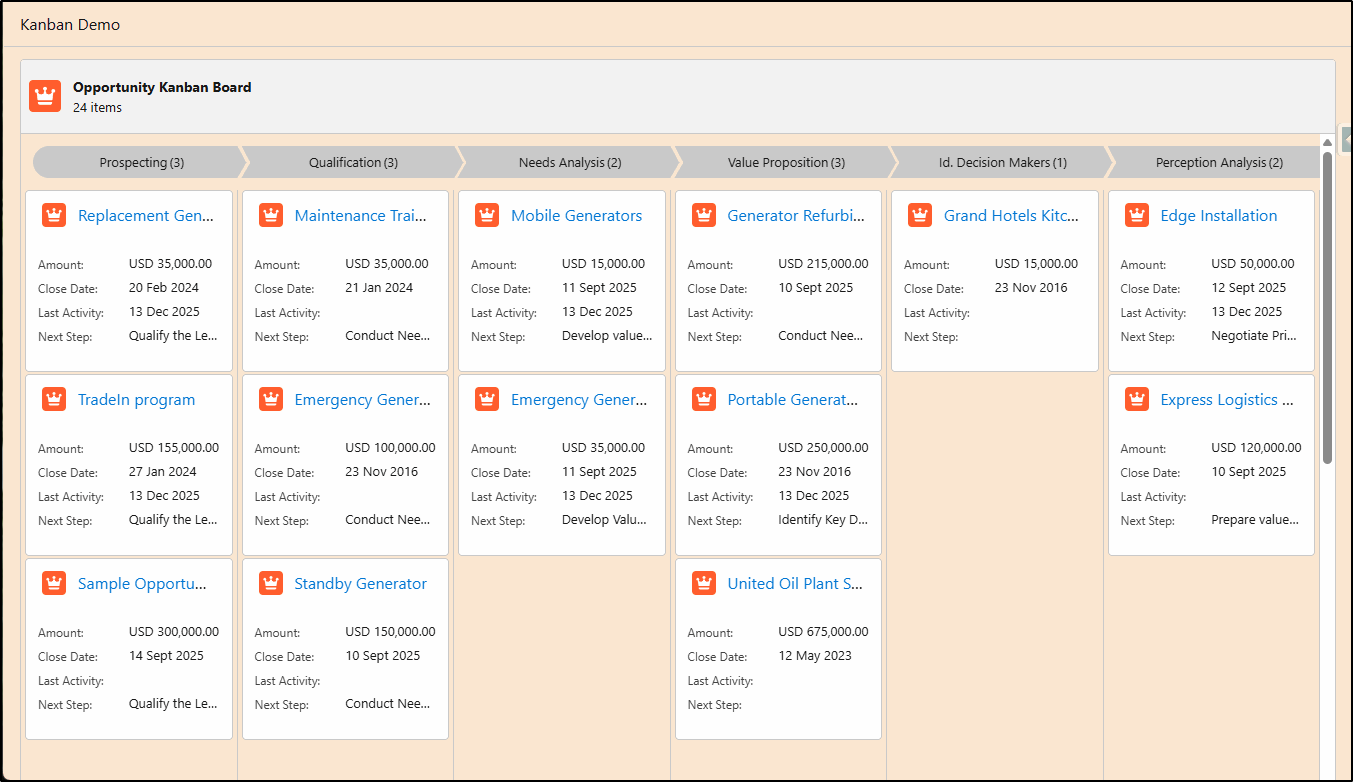
Adding the new Kanban Board component to a screen flow enables you to have greater control over how you visualize Salesforce records. Include up to five (5) fields and include both header and footer fields.
Display a path type or simple header at the top of the board and apply your own styling to the screen to suit your corporate colors.
You can’t perform any actions with the cards on the board just yet – hopefully that will come in future releases.
Trigger on File Creation
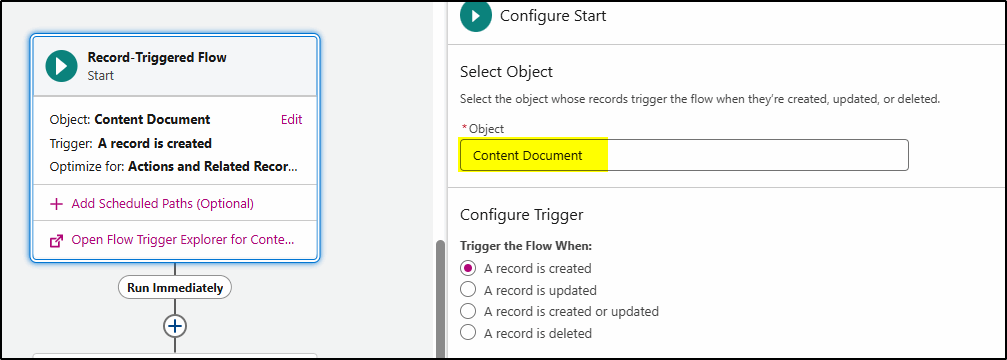
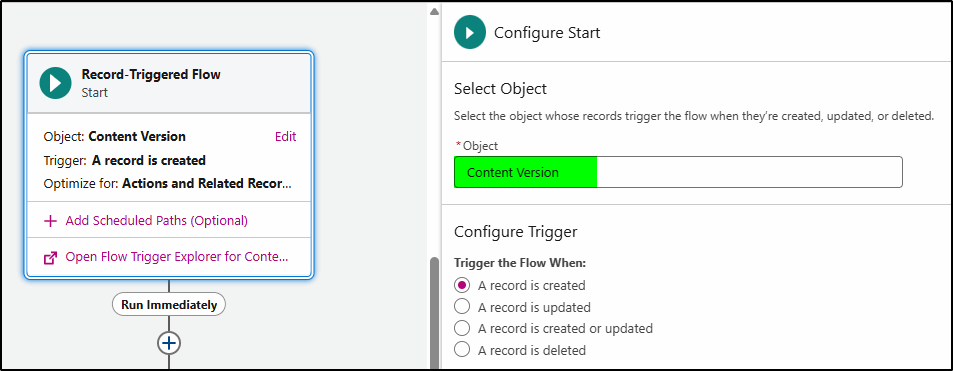
The final flow feature highlighted is the ability to create Flow Triggers based on files. This gives your admins and developers the ability to create automations that can alert the record owner when a new file (or a new version of a file) has been attached to a record. This is ideal for the use case where you have an application process, and you are awaiting a customer to upload a file before you can progress. Now, a record-triggered flow can be created to alert you via email/Slack or an alert message, immediately after the file is uploaded.
Setup, featuring Agentforce (beta)
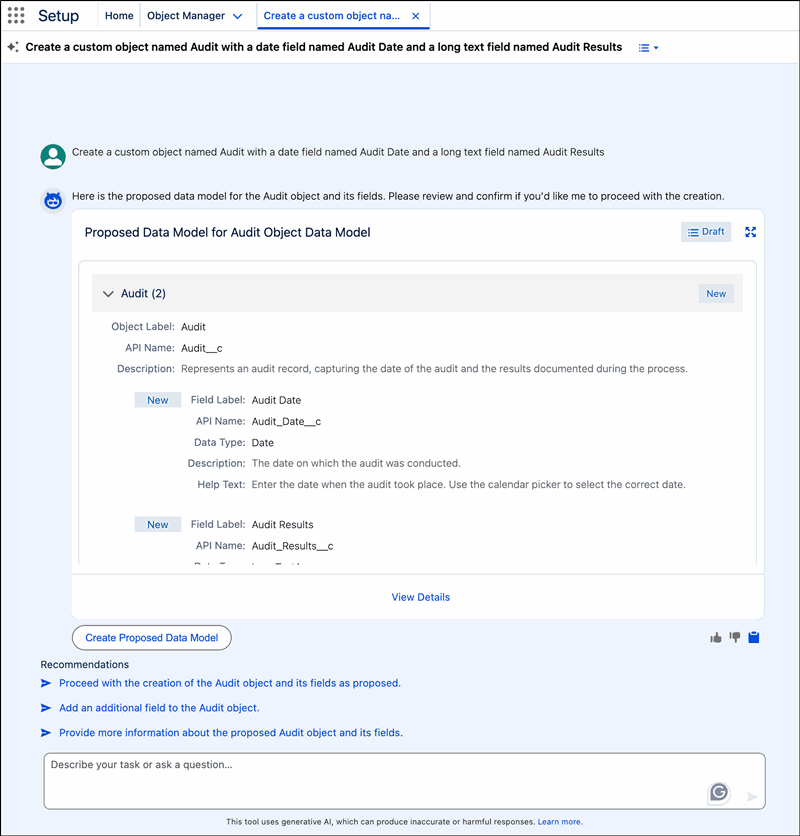
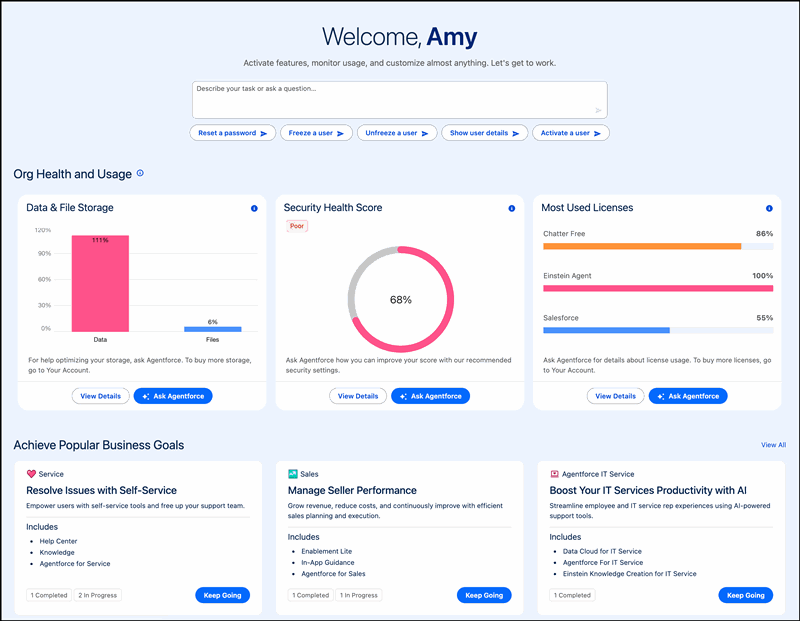
Of course, no new Salesforce release could exclude the inevitable appearance of AI. To help busy administrators navigate and configure Salesforce features, Agentforce intelligence is being added to the setup experience. Admins can issue commands or ask questions by using natural language in the chat window. The agent makes activities like creating objects and flows, managing user access, and troubleshooting formulas more intuitive and efficient, reducing navigation and clicks.
Setup with Agentforce adds a prompt bar, org health and usage metrics, and conversation recommendations to the Setup Home page and gets you started working quickly to complete common tasks.
My Trust Center (beta)
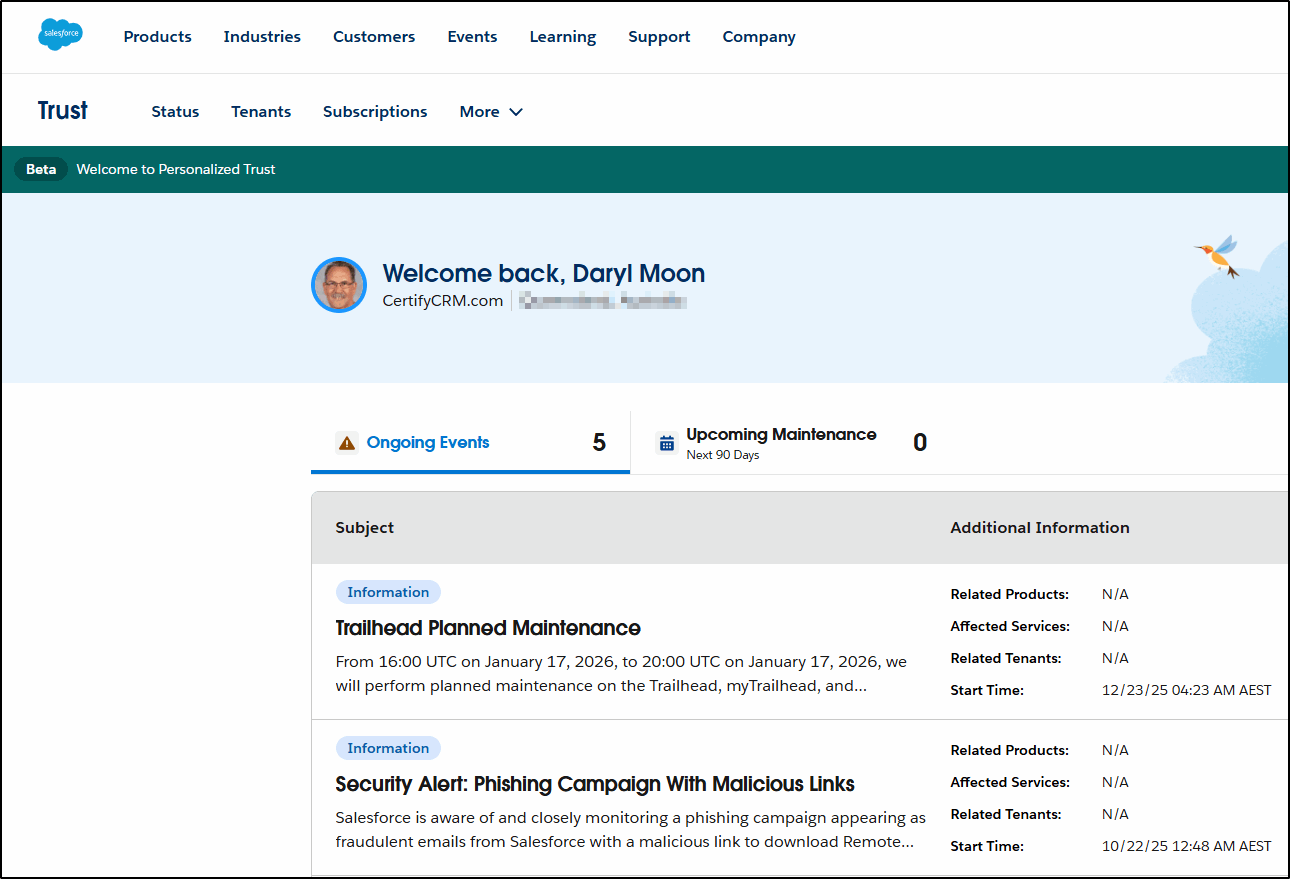
A more personalized version of trust.salesforce.com, the my.trust.salesforce.com brings together the relevant ongoing Events, Maintenance, and Status History, along with additional tabs for Tenant and Subscription information too, allowing you to view them all in one place.
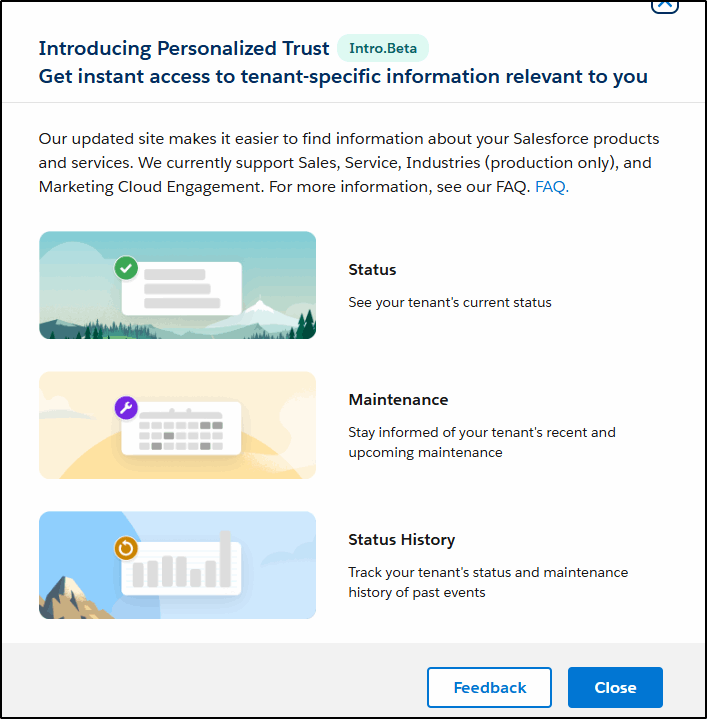
This new, personalized experience remembers you, giving you quick access to the events, upcoming maintenance, tenant information, and subscriptions relevant to you.
Approval Component
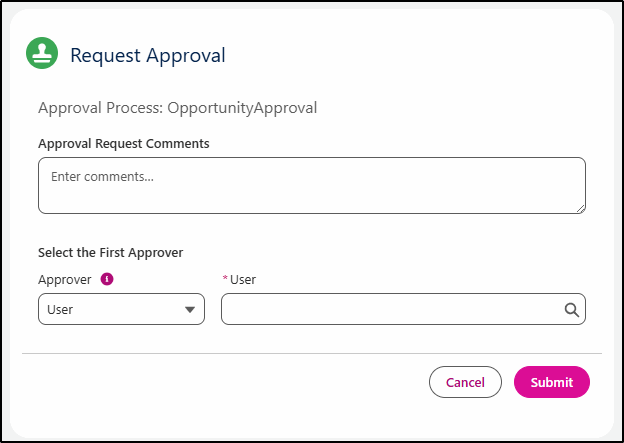
Missing from the new Flow based approval process was a component to add to a Lightning Page that allowed the end user to submit a record for approval (without having to create custom buttons). This has now been delivered in Spring ’26 with the Request Approval component that you can add to Lightning Record Pages. This allows you to hide/show the comments from the submitter and can also prompt the user to select the first approver.
File Deletion Permission
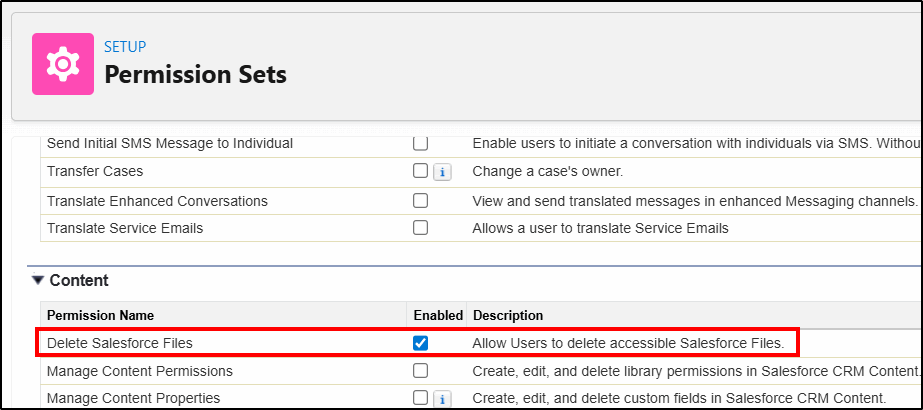
The file deletion permission is a welcome new addition. You no longer need to give users Modify All Data to enable them to delete files (which is way more access than they need for this task). Simply create a Permission Set and apply it to the users who require this permission.
Custom Reports Disclaimer
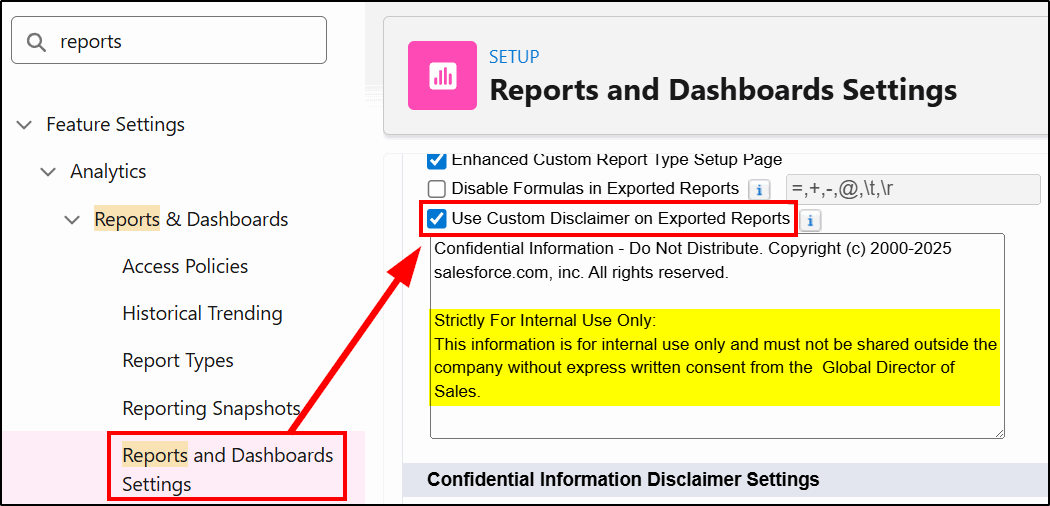
While you can’t replace the standard Salesforce disclaimer on report, (or easily prevent the export of reports) you can now add a custom message to make it very clear what your company policy is with regard to sharing the information contained in reports extracted from Salesforce.
Connected Apps changes
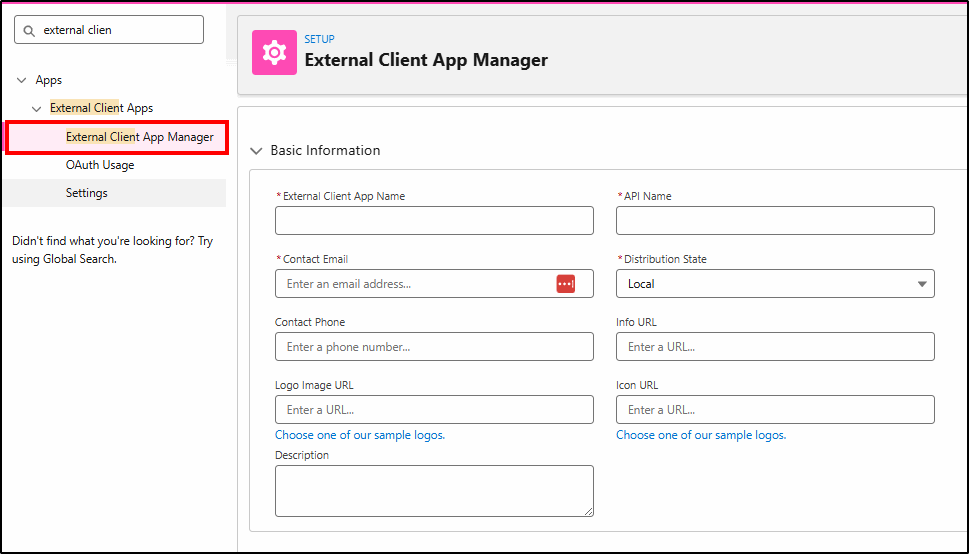
The Manage Connected Apps utility has been disabled (for security reasons) in favour of the External Client App Manager. Connected Apps were the source of many of the security breaches that occurred in 2025 and have now been disabled.
At KeyNode Solutions, a leading Salesforce Consulting Partner, we want to keep our website visitors and clients up to date with the latest information. If you have any questions about features in this release, contact us at hello@keynodesolutions.com or call us at 1-858-215-5371.
About the Author
 Daryl Moon brings over 40 years of experience across consulting, technical, management, and training roles in government and the private sector. He combines deep theoretical knowledge with practical, hands-on expertise.
A Salesforce professional with nine certifications and more than 1,100 Trailhead badges, Daryl continues to design and deliver Salesforce training through CertifyCRM.com. He is an active contributor to the Salesforce ecosystem, regularly presenting at user groups, virtual conferences and within the Trailblazer Community. You can learn more about Daryl at https://www.linkedin.com/in/daryl-moon/.
 KeyNode Solutions is a full-service Salesforce Consulting Partner company. We deliver the ultimate Salesforce solutions to grow your business: implementation, integration, customization, and development. Our best-in-class Salesforce managed services for ongoing support available nationwide.
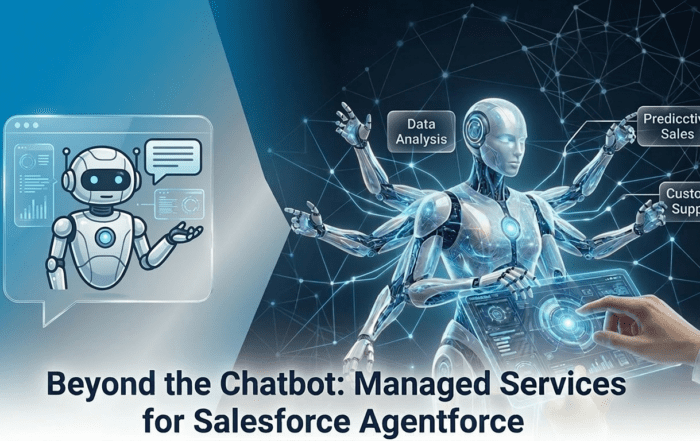
Beyond the Chatbot: Managed Services for Salesforce Agentforce
As artificial intelligence becomes central to digital transformation, businesses are looking beyond basic automation tools. Chatbots were only the beginning. Today, organizations want intelligent systems that can reason, act and deliver measurable business outcomes. [...]

Salesforce Shield & Data Mask: Managed Security Services
Generative AI is reshaping how organizations use CRM data. Intelligent automation, predictive insights and AI driven workflows are unlocking new efficiencies across sales and service teams. However, as AI tools access increasing volumes of [...]

How Can Salesforce Help Increase Sales?
In today’s competitive business environment, increasing sales is not just about having a great product or service, it’s about understanding customers, streamlining processes and making data-driven decisions. Salesforce, the world’s #1 Customer Relationship Management [...]
What Salesforce Features and Benefits Help Salespeople?
Sales success today depends on speed, accuracy and strong customer relationships. Salesforce is designed to support salespeople at every stage of the sales cycle, helping them work smarter and close deals faster. At KeyNode Solutions, [...]

Why Do Companies Use Salesforce?
Companies adopt Salesforce because it helps them manage customers, grow revenue and operate more efficiently. In a business environment where data speed and customer experience matter more than ever, Salesforce provides a powerful platform [...]

Why Salesforce Is Good for Sales Reps
Sales reps succeed when they have clarity, speed and confidence in their daily work. Salesforce has become one of the most trusted sales platforms in the world because it delivers exactly that. For organizations [...]